Running a call center is not just about answering phones or making calls. You need to make sure the right customer reaches the right agent, sales teams follow up with the right leads, and every conversation is tracked.
- 1 What Is an Inbound Call Center?
- 2 What Is an Outbound Call Center?
- 3 Inbound vs Outbound Call Center: What’s the Difference?
- 4 Use Cases of Inbound Call Center Services
- 5 Use Cases of Outbound Call Center Services
- 6 What Features Do Inbound and Outbound Call Centers Use?
- 7 What Is a Blended or Hybrid Call Center?
- 8 Inbound and Outbound Call Center KPIs You Should Track
- 9 Which Is Better: Inbound or Outbound Call Center?
- 10 How to Manage Inbound and Outbound Calls More Effectively
- 11 Conclusion
These are done in inbound and outbound call centers.
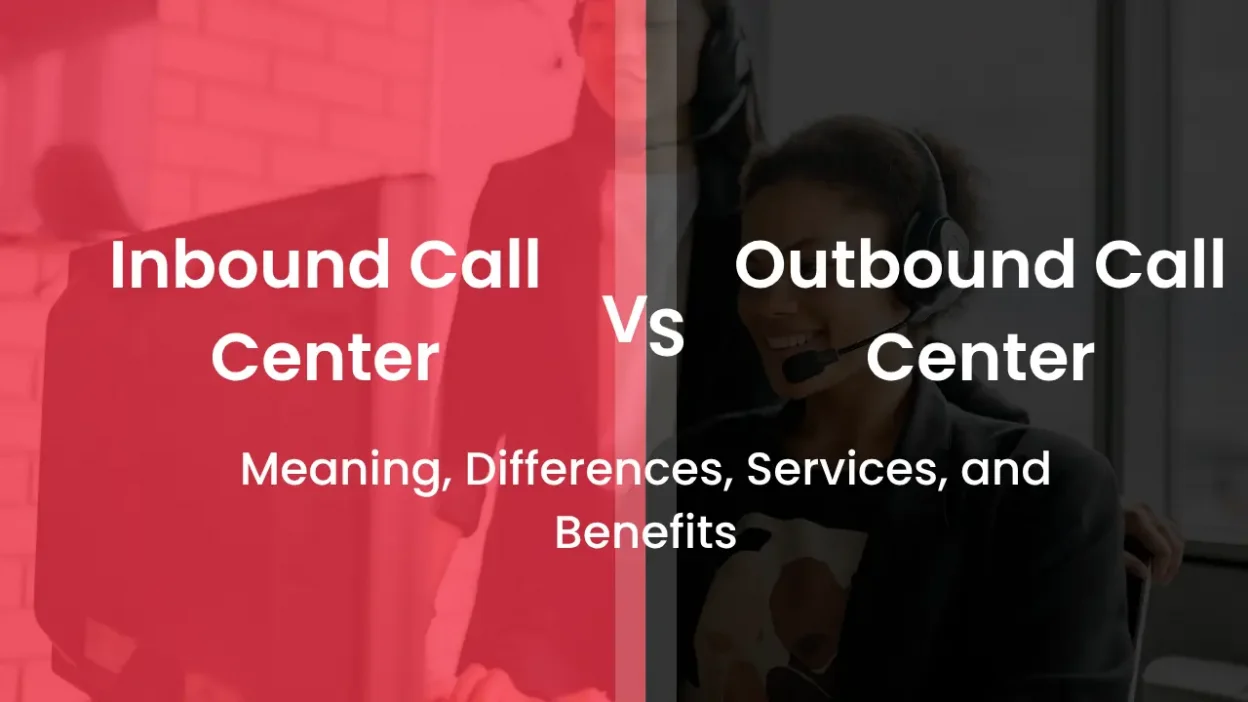
An inbound call center handles calls that customers or prospects make to your business. An outbound call center works the other way around: agents call customers, leads, or prospects for sales, follow-ups, surveys, renewals, and other business activities.
Many businesses use both. For example, a customer may call your support team with a problem, and your sales or retention team may later call that same customer with a solution or offer.
In this guide, you’ll learn:
- What an inbound call center is
- What an outbound call center is
- The difference between inbound and outbound call centers
- Common inbound and outbound call center services
- How inbound and outbound call center software works
- What a blended call center is
- Which model is right for your business
- The KPIs managers should track
- Best practices for managing both types of calls
What Is an Inbound Call Center?
An inbound call center is a team that receives incoming calls from customers, prospects, or other people who want to contact a business.
The customer starts the conversation.
For example, imagine you run an online furniture store. A customer calls because their order has not arrived. The agent checks the order, explains the delivery status, and helps resolve the issue.
That’s an inbound call.
Inbound call centers are usually built around customer support, service, enquiries, and problem resolution.
However, they are not limited to support. An inbound team can also handle sales enquiries, bookings, payments, order processing, and other customer requests.
What Is an Outbound Call Center?
An outbound call center is a team that makes calls to customers, leads, prospects, or other contacts.
Instead of waiting for someone to call, the business starts the conversation.
For example, a software company may have 500 trial users who signed up but haven’t purchased a plan. The sales team can call those users, understand why they haven’t converted, answer their questions, and offer help.
That’s an outbound call.
Outbound call centers are commonly used for sales, lead generation, follow-ups, customer retention, renewals, surveys, and proactive communication.
The goal of outbound calling is usually to create an opportunity, complete an action, or maintain an existing customer relationship.
Inbound vs Outbound Call Center: What’s the Difference?
The simplest difference is who starts the call.
With an inbound call center, the customer calls your business.
With an outbound call center, your business calls the customer or prospect.
But the difference goes beyond that.
| Factor | Inbound Call Center | Outbound Call Center |
| Who starts the call? | Customer or prospect | Business or agent |
| Main purpose | Support, enquiries, service | Sales, lead generation, follow-ups |
| Communication | Reactive | Proactive |
| Common users | Customers and prospects | Leads, prospects, and existing customers |
| Common tools | IVR, ACD, call routing, CRM | Dialers, CRM, campaign tools |
| Key agent skills | Listening, empathy, problem-solving | Communication, persuasion, objection handling |
| Important KPIs | FCR, CSAT, AHT, ASA | Contact rate, conversion rate, appointments |
| Main outcome | Customer satisfaction and retention | Sales, engagement, and revenue |
A simple example
Let’s say a healthcare company runs a customer support center.
A patient calls to ask about an appointment.
Patient calls the company → Inbound call
Later, the hospital calls the patient to confirm the appointment.
Company calls the patient → Outbound call
The same business can therefore use both inbound and outbound calling as part of one customer journey.
Use Cases of Inbound Call Center Services
Inbound call center services are designed to help customers when they contact your business.
The exact services depend on the industry, but some of the most common include the following.
1. Customer Support
Customers call when they have questions or problems.
Agents can answer questions, troubleshoot issues, explain processes, and guide customers toward a solution.
For a SaaS company, this could mean helping a customer reset a password or configure an account.
2. Technical Support
Technical support teams help customers solve product or service-related problems.
For example:
- Login issues
- Software errors
- Product configuration
- Integration problems
- Internet connectivity
- Feature-related questions
The goal is not simply to answer the phone. It is to resolve the customer’s problem as efficiently as possible.
3. Product and Service Enquiries
Not every caller is an existing customer.
Someone may call because they want to know:
- How much a product costs
- Which plan is suitable
- What features are available
- How delivery works
- Whether a product is available
These calls can become valuable sales opportunities.
4. Order and Payment Assistance
Ecommerce and retail businesses often use inbound teams to handle:
- Order placement
- Order tracking
- Payment questions
- Cancellations
- Refunds
- Returns
- Delivery issues
5. Complaint Management
Complaints are unavoidable in most businesses.
A good inbound team gives customers a clear way to explain their problem, understand what went wrong, and find out what happens next.
6. Appointment Booking
Healthcare providers, consultants, educational institutions, salons, repair businesses, and many other organizations use inbound calling to schedule appointments.
7. Inbound Sales
Inbound calls can also generate revenue.
Someone who calls after seeing your product, advertisement, or website is already showing interest. A trained agent can answer questions, understand the requirement, and move the caller toward a purchase.
Use Cases of Outbound Call Center Services
Outbound call center services focus on reaching customers and prospects proactively.
Here are some of the most common use cases.
1. Lead Generation
Agents contact potential customers to find out whether they have a genuine requirement.
For example, a B2B company may have a database of businesses that could benefit from its software. Agents can contact those businesses, qualify their requirements, and pass suitable leads to the sales team.
2. Telesales
In telesales, agents sell products or services directly over the phone.
They may explain the product, answer questions, handle objections, and close the sale.
3. Appointment Setting
Sometimes the objective isn’t to make the sale during the call.
Instead, the agent books a meeting or product demonstration with a salesperson.
This is common in B2B industries where purchases involve multiple decision-makers.
4. Sales Follow-Ups
A lead submits an enquiry today.
A sales representative calls tomorrow.
The customer asks for a quotation.
The representative follows up again.
These are all outbound calls.
Good follow-ups should refer to the customer’s previous interaction instead of sounding like a completely new sales pitch.
5. Renewals and Upgrades
Businesses can use outbound calls to remind customers about upcoming renewals or introduce relevant upgrades.
This is common for:
- SaaS companies
- Insurance providers
- Membership businesses
- Educational services
- Subscription businesses
6. Customer Feedback
Businesses can call customers after a purchase or support interaction to understand their experience.
These calls can reveal problems that may not appear in standard support reports.
7. Payment Reminders
Outbound teams can also remind customers about upcoming or overdue payments.
These calls should be handled carefully and according to applicable laws, regulations, and company policies.
What Features Do Inbound and Outbound Call Centers Use?
Managing calls manually becomes difficult as call volume grows.
Call center software helps managers automate routing, track conversations, monitor agents, and connect calls with customer data.
The tools you need depend on whether you manage inbound, outbound, or both types of calls.
Inbound call center software features
1. IVR
Interactive Voice Response (IVR) allows callers to select options before reaching an agent.
For example:
“Press 1 for Sales.”
“Press 2 for Support.”
“Press 3 for Billing.”
A well-designed IVR can reduce unnecessary transfers and help customers reach the right department faster.
2. Automatic Call Distribution
Automatic Call Distribution, or ACD, routes incoming calls to available or appropriate agents.
This becomes especially useful when multiple teams handle different types of enquiries.
3. Call Queues
When all agents are busy, callers can be placed in a queue instead of receiving a busy signal.
Managers can monitor queue size and waiting times to identify staffing problems.
4. Skill-Based Routing
Not every agent can handle every customer issue.
Skill-based routing can send a technical question to a technical support agent and a sales enquiry to a sales representative.
5. Call Recording
Call recordings can help managers review conversations, train agents, investigate disputes, and improve service quality.
6. CRM Integration
When the phone system is connected to the CRM, agents can access customer information while handling the call.
This means less time asking customers to repeat information.
Outbound call center software features
1. Auto Dialer
An auto dialer automatically calls numbers from a selected contact list.
This can save agents from manually dialing every number.
2. Predictive Dialer
A predictive dialer uses calling and agent availability data to determine when to place calls.
It is generally more useful for teams handling large outbound campaigns.
3. Progressive Dialer
A progressive dialer places the next call when an agent becomes available, giving the agent time to handle the previous conversation before moving on.
4. Click-to-Call
Agents can click a phone number inside a CRM or business application instead of manually entering the number.
5. Campaign Management
Managers can organize contacts into different campaigns and monitor campaign performance.
For example:
- New leads
- Demo follow-ups
- Renewal campaign
- Customer reactivation
- Feedback campaign
6. Call Disposition
After every call, agents can record the outcome.
For example:
- Interested
- Not interested
- Call back later
- Demo scheduled
- Sale completed
- Wrong number
This makes it easier for managers to understand what is happening with every campaign.
What Is a Blended or Hybrid Call Center?
A blended call center handles both inbound and outbound calls.
Instead of maintaining completely separate systems for incoming and outgoing communication, the business manages both workflows through a connected setup.
For example:
- A customer calls your support team.
- The agent resolves the issue.
- The agent schedules a follow-up.
- Your team makes an outbound call later.
- The conversation is recorded against the same customer profile.
This gives the business a more complete view of the customer journey.
Why do businesses use a blended call center?
A blended model can help businesses:
- Use agents more efficiently
- Follow up with customers faster
- Connect sales and support data
- Maintain a single customer history
- Improve customer retention
- Reduce the need for separate calling systems
- Track inbound and outbound performance from one place
For many growing businesses, this model makes more sense than choosing between inbound and outbound calling.
Inbound and Outbound Call Center KPIs You Should Track
Call volume is one of the easiest numbers to measure.
But it doesn’t tell you whether your call center is performing well.
A manager should track metrics that connect agent activity with customer experience and business results.
Inbound call center KPIs
1. First Call Resolution (FCR)
FCR measures how often an issue is resolved during the first interaction.
A higher FCR generally means customers don’t have to contact your business repeatedly for the same issue.
2. Average Handling Time (AHT)
AHT measures the average time spent handling a customer interaction, including related work.
Don’t try to reduce AHT blindly. A shorter call isn’t necessarily a better call if the customer still needs to call again.
3. Customer Satisfaction Score (CSAT)
CSAT measures how satisfied customers are with their interaction.
4. Average Speed of Answer (ASA)
ASA measures how long customers typically wait before an agent answers.
4. Abandonment Rate
This shows how many callers disconnect before reaching an agent.
A high abandonment rate may indicate long wait times or insufficient staffing.
Outbound call center KPIs
1. Contact Rate
Contact rate measures how many dialed numbers result in a successful connection.
2. Conversion Rate
Conversion rate tells you how many successful calls achieve the campaign objective.
Depending on the campaign, that could mean a sale, appointment, demo, or qualified lead.
3. Lead Qualification Rate
This measures how many contacted leads meet your qualification criteria.
4. Appointment Booking Rate
For appointment-setting campaigns, this shows how many calls result in a scheduled meeting.
5. Revenue Per Agent
This helps managers understand the revenue contribution of individual agents or campaigns.
6. Follow-Up Completion Rate
If your sales process depends heavily on follow-ups, track how many scheduled follow-ups are actually completed.
Which Is Better: Inbound or Outbound Call Center?
There isn’t a universal winner.
The right model depends on what you want your call center to accomplish.
Choose an inbound call center if you mainly need to:
- Handle customer support
- Answer product enquiries
- Resolve complaints
- Provide technical assistance
- Process orders
- Manage customer requests
- Improve customer service
Choose an outbound call center if you mainly need to:
- Generate leads
- Follow up with prospects
- Sell products or services
- Schedule appointments
- Conduct surveys
- Improve renewals
- Re-engage customers
- Collect payments or send reminders
Choose both if you need to:
- Support existing customers
- Generate new business
- Follow up with leads
- Retain customers
- Manage the complete customer journey
For many growing companies, an inbound and outbound call center provides the most flexibility because customer communication doesn’t stop after the first call.
How to Manage Inbound and Outbound Calls More Effectively
Having call center software is only part of the solution.
The way your team uses that software matters just as much.
1. Train inbound and outbound agents differently
Inbound agents need strong listening, empathy, troubleshooting, and problem-solving skills.
Outbound agents need confidence, objection handling, product knowledge, and strong communication skills.
The same training approach doesn’t always work for both teams.
2. Don’t force agents to follow rigid scripts
Scripts can keep conversations consistent, but agents shouldn’t sound like they are reading from a page.
Give agents talking points and guidelines while allowing them to respond naturally to the customer.
3. Connect your calling system with your CRM
Agents should be able to see relevant customer information without switching between multiple systems.
This helps agents understand previous conversations and reduces repetitive questions.
4. Route calls intelligently
Use IVR, skill-based routing, department-based routing, and other call-routing rules to send customers to the right team.
Better routing can reduce transfers and improve the customer experience.
5. Use call recordings for coaching
Don’t use recordings only when something goes wrong.
Managers can review successful conversations to identify what top-performing agents are doing differently and use those examples for training.
6. Measure quality, not just call volume
An agent making 100 calls isn’t necessarily performing better than someone making 50 calls.
Look at the quality and outcome of those conversations.
For inbound teams, focus on resolution and customer satisfaction.
For outbound teams, look at qualified leads, appointments, conversions, and revenue.
Conclusion
Inbound and outbound call centers aren’t competing models. They solve different parts of the same customer communication problem.
Inbound calling helps customers reach your business when they need support, information, or assistance.
Outbound calling helps your business proactively reach customers and prospects for sales, follow-ups, renewals, feedback, and other activities.
For businesses that need both, a blended call center can connect these activities through one workflow.
The key is choosing a calling setup that fits the way your team actually works. With the right combination of call routing, IVR, CRM integration, dialers, call recording, and analytics, managers can give agents better tools while gaining more visibility into everyday call center operations.
If you’re looking for a platform to manage both inbound and outbound calls, CallerDesk can help you bring calling, routing, tracking, and customer communication into one centralized system.