Could one SIM card stop your whole sales team from replying to customers on WhatsApp?
- 1 What Does SIM Binding Mean for WhatsApp?
- 2 Why Did the Government Introduce SIM Binding for WhatsApp?
- 3 WhatsApp SIM Binding Deadline and Timeline
- 4 What Happened to the Six-Hour WhatsApp Web Logout?
- 5 How Will SIM Binding Work on WhatsApp?
- 6 How SIM Binding Affects WhatsApp Business Users
- 7 Example: A Jaipur Real-Estate Team With Six Agents
- 8 How to Prepare for SIM Binding: A 10-Step Checklist for Businesses
- 9 WhatsApp Business App vs WhatsApp Business API
- 10 Frequently Asked Questions
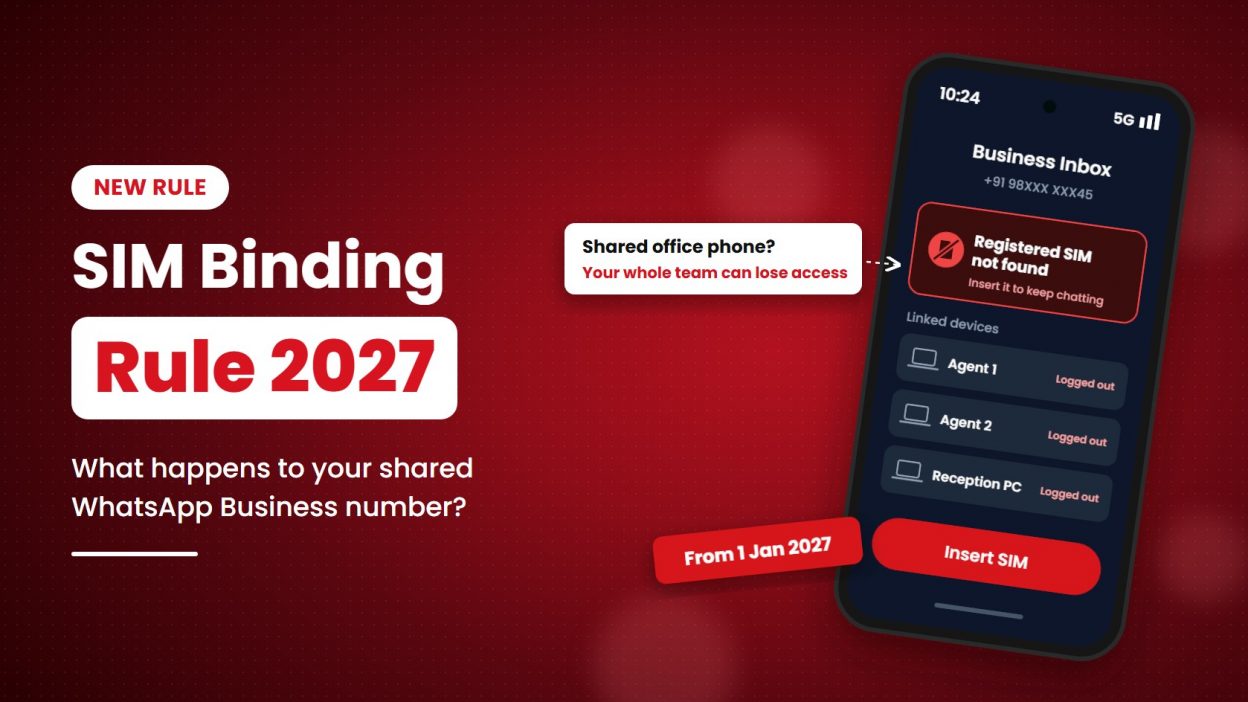
Imagine six agents sharing one WhatsApp Business number. The phone with the registered SIM stays at reception. What happens if someone removes that SIM, or your agents reply to customers through WhatsApp Web?
India’s SIM binding direction says WhatsApp and seven other messaging apps must stay linked to the active SIM used for the account. The current compliance deadline is 31 December 2026, so the change is expected from 1 January 2027. Your number is not being cancelled, but access may be affected if the registered SIM is not in the phone running WhatsApp.
This guide explains what the rule means for your team, what we know about WhatsApp Web, and how to prepare before the deadline.
What Does SIM Binding Mean for WhatsApp?
For WhatsApp, SIM binding means your account works only while the SIM registered with that number is active and inside the same phone.
Today, WhatsApp checks your number once, through an OTP, when you register. After that, the account keeps working even if you remove the SIM or run the phone on Wi-Fi only. From 2027, WhatsApp will keep checking that the same SIM is still there.
Think of your SIM as the key and WhatsApp as the lock. Earlier, the key was needed only once to open the door. Under SIM binding, the key has to stay in the lock while you use the app.
New to the term? Our guide What Is SIM Binding? Meaning, How It Works, and India’s New Rules explains the concept in detail, including how UPI and banking apps use it.
Why Did the Government Introduce SIM Binding for WhatsApp?
The government introduced SIM binding to reduce cyber fraud. Fraudsters often register messaging accounts with Indian numbers, then remove the SIM and keep using the account from another device or from outside India. That makes them hard to trace.
When an account works only while the registered SIM is in the phone, it becomes harder to:
- use an Indian number from abroad without the SIM,
- run scams from accounts whose SIMs have been thrown away or deactivated,
- misuse numbers taken through fake KYC.
The Cellular Operators Association of India (COAI), which represents telecom operators, welcomed the move. The Internet and Mobile Association of India (IAMAI) raised concerns about the impact on users and on small businesses (MSMEs).
WhatsApp SIM Binding Deadline and Timeline
The current deadline for WhatsApp and the other covered apps is 31 December 2026, so the rule is expected to apply from 1 January 2027.
DoT’s original directions gave covered services 90 days to implement SIM binding and 120 days to submit a compliance report. That window passed without a rollout. In a written Rajya Sabha answer on 2 April 2026, the government set 31 December 2026 as the compliance date.
| Date | What happened |
| 28 November 2025 | DoT issued directions to major app-based communication services under the Telecommunications (Telecom Cyber Security) Rules, 2024, as amended |
| 1 December 2025 | The Press Information Bureau (PIB) published the directions: 90 days to implement, 120 days to report, and web logouts at most every six hours |
| Late February 2026 | The original 90-day implementation window elapsed |
| Late March 2026 | The original 120-day reporting window fell due |
| 2 April 2026 | Written Rajya Sabha answer set 31 December 2026 as the compliance date and made web logouts risk-based, with no fixed interval |
| April 2026 | Meta confirmed it was testing SIM binding with regular WhatsApp users in India |
| 31 December 2026 | Current compliance deadline, as of 29 October 2026 |
| 1 January 2027 | Expected first day the rule applies to users |
Dates have moved before, so check official DoT or PIB updates for the latest position.
What Happened to the Six-Hour WhatsApp Web Logout?
It’s no longer the official position. The original DoT release said web sessions must log out at least every six hours.
The 2 April 2026 Rajya Sabha answer says web sessions should be logged out based on risk analysis, and that no specific time period has been set.
One caveat: MediaNama notes that the written directions themselves do not mention risk-based logout, and no revised written direction has been issued since. So how often WhatsApp Web will ask your team to rescan the QR code depends on how WhatsApp builds it.
How Will SIM Binding Work on WhatsApp?
WhatsApp will confirm, from time to time, that the SIM linked to your number is inside the same phone and active. If the check fails, it can block access until the right SIM is back.
For a normal user, this is what changes:
- You register as usual with your mobile number and OTP.
- WhatsApp links your account to the SIM in that phone.
- WhatsApp keeps checking that the same SIM is still present and active.
- If you remove or swap the SIM, or the number is deactivated, WhatsApp may stop working on that phone.
- WhatsApp Web and desktop depend on the main phone, and may log out if the system sees a risk.
Exactly how often WhatsApp checks, and how it shows this to users, will depend on how it builds the feature. (Want the technical side, such as the SMS token check UPI apps use? See how SIM binding works.)
How SIM Binding Affects WhatsApp Business Users
The impact depends on how your business uses WhatsApp. A number used on one phone with its registered SIM inside may need few changes. A shared phone, a SIM-free device or a team that lives on WhatsApp Web needs planning.
And that describes most small businesses. In a survey of 353 Indian businesses by the Esya Centre, reported by MediaNama:
- about 86% use one business number on more than one device,
- about 92% reach messages through laptops, desktops or tablets,
- 75.6% have at least two or three people handling customer messages,
- 82% expected forced logouts to disrupt operations.
(The survey ran before the six-hour logout was dropped, so the disruption figure reflects the stricter original rule.)
1. Business owner uses one phone with the registered SIM
If you use WhatsApp Business on your own phone and keep the registered SIM active in it, you may see little change.
What to do: Keep the SIM active and inside the phone where you use WhatsApp Business.
2. Many agents share one office phone
If several agents use one office phone, the whole team may lose access if the registered SIM becomes inactive, is removed or is moved to another phone.
What to do: Keep the SIM active, limit unnecessary SIM changes and plan how your team will manage customer chats if access is interrupted.
3. Team members use WhatsApp Web or desktop
Linked sessions depend on the main phone. WhatsApp may log out linked devices if it detects a risk.
What to do: Keep the main phone active, charged and accessible. Decide how your team will handle chats if linked sessions stop working.
4. Business uses WhatsApp on a device without a SIM
If the app runs on a tablet or an old phone without the registered SIM, it may not meet the SIM binding requirement.
What to do: Move the registered SIM into the phone running the app, or review whether the WhatsApp Business API suits your team.
5. Business uses a dual SIM or eSIM phone
A dual SIM or eSIM setup should keep working if the registered SIM stays active in the same phone. Don’t assume every setup behaves the same way; check WhatsApp’s guidance when it is published.
What to do: Plan before deactivating, replacing or porting the registered number.
6. Business uses the WhatsApp Business API
The API doesn’t run on a phone SIM the way the WhatsApp Business app does. However, DoT has not officially clarified whether the SIM binding direction applies to the API.
What to do: Watch for official updates and check with your WhatsApp Business solution provider before making changes.
Example: A Jaipur Real-Estate Team With Six Agents
A Jaipur real-estate firm uses one office phone for its WhatsApp Business number. Six telecallers reply to leads through WhatsApp Web.
If the registered SIM becomes inactive, or the phone needs to be replaced, the whole team could lose access to customer chats in the middle of a sales week.
A business like this should decide three things now: who owns and manages the SIM, how the team handles follow-ups during an interruption, and which backup channel customers can use.
How to Prepare for SIM Binding: A 10-Step Checklist for Businesses
Prepare by making sure every WhatsApp number runs on a phone with its active SIM, and by reducing dependence on one shared device. Start before December 2026.
| Step | Owner | |
| 1 | List every WhatsApp number your business uses: sales, support, accounts and branch numbers | Ops head |
| 2 | Check where each number runs: is the SIM inside the same phone, or is it on a SIM-less device? | Ops head |
| 3 | Keep every registered SIM active with auto-recharge or a postpaid plan | Accounts |
| 4 | Stop swapping SIMs between phones for business numbers | Team leads |
| 5 | Label and secure the main phone for each number, with a charger and power backup | Admin |
| 6 | Turn on two-step verification in WhatsApp for every business number | IT |
| 7 | Note who has WhatsApp Web access and remove old or unknown linked devices | IT |
| 8 | Make a backup plan so customers can still reach you if the main phone or SIM fails | Ops head |
| 9 | Review whether the WhatsApp Business API suits you if many agents share one number | Sales head |
| 10 | Track official updates from DoT, PIB and WhatsApp until January 2027 | Compliance |
WhatsApp Business App vs WhatsApp Business API
If your team is small and one person handles WhatsApp, the Business app with its SIM inside is usually enough. If several agents share one number, the API is built for that.
| WhatsApp Business App | WhatsApp Business API | |
| Runs on | A phone with a SIM | Servers, through an approved provider |
| Many agents on one number | Limited (linked devices, WhatsApp Web) | Designed for it, through a shared inbox |
| Depends on one phone | Yes | No |
| CRM integration | Basic | Full, through the provider |
| Automation and chatbots | Basic quick replies | Advanced flows and bots |
| Cost | Free app | Per-message pricing by Meta + provider fees |
| Best for | Solo owners and very small teams | Sales and support teams, call centres, growing SMEs |
Frequently Asked Questions
What is SIM binding in WhatsApp?
It means your WhatsApp account works only while the SIM registered with that number is active and inside the same phone. If the SIM is removed, changed or deactivated, WhatsApp may stop working on that device until the registered SIM is back. The rule comes from the Department of Telecommunications.
When will WhatsApp SIM binding start in India?
It is expected from 1 January 2027. DoT issued the directions on 28 November 2025 and later extended the compliance deadline to 31 December 2026.
Has the WhatsApp SIM binding deadline been extended?
Yes. The original 90-day deadline from November 2025 was extended. The government set 31 December 2026 as the compliance date in a Rajya Sabha answer on 2 April 2026.
Will WhatsApp Web stop working after SIM binding?
No. WhatsApp Web will keep working, but it depends on the main phone with the registered SIM. The fixed six-hour logout was dropped; web sessions will instead be logged out based on risk, which has not been fully explained yet.
Can multiple agents use one WhatsApp Business number after SIM binding?
Yes, but if every agent depends on one shared phone through the Business app, the team is at risk when that phone’s SIM is removed or deactivated. For several agents on one number, the WhatsApp Business API through a provider is the more reliable option.
Does SIM binding apply to the WhatsApp Business API?
There is no official clarification yet. The API runs on servers through an approved provider, not on a phone with a SIM, so it is less exposed to the “SIM removed” problem. Confirm with your provider and watch for updates from DoT and Meta.
Will WhatsApp work without a SIM card after 1 January 2027?
Most likely not, for accounts registered with Indian numbers. A phone with no SIM, or with a different SIM, may not be able to use that WhatsApp account.
I live abroad but use an Indian number on WhatsApp. Will it stop working?
If your Indian SIM stays active in your phone, for example on international roaming, it should keep working. If the Indian SIM is lying unused at home, expect problems from 2027.
Does WhatsApp SIM binding work with eSIM and dual SIM phones?
Yes, as long as the SIM or eSIM registered with the WhatsApp number stays active in the same phone. Problems are likely only if that SIM is removed, deactivated or moved to another device.
Which apps are covered by the SIM binding rule?
WhatsApp, Telegram, Signal, Snapchat, ShareChat, Josh, JioChat and Arattai. The directions apply to app-based communication services that use Indian mobile numbers to identify users.