Could developers use an AI assistant to get parts of WhatsApp Business messaging ready? On 15 September 2026, Meta announced its WhatsApp Business Tools MCP, a tool designed to help developers with some setup and testing tasks.
For businesses, this update raises a few questions: What can the tool actually do? Can it help manage customer conversations? And how does it fit with the WhatsApp Business Platform? This guide explains Meta’s announcement in plain language and what businesses should know about the tool.
What does MCP mean?
MCP stands for Model Context Protocol. It allows AI assistants to connect with external tools and services to perform specific tasks. The tasks an AI assistant can perform depend on the tools available and the permissions granted to it.
In the case of WhatsApp Business Tools MCP, it connects an AI assistant to specific tools within the WhatsApp Business Platform. Developers can use this connection to perform tasks such as setting up business accounts, creating message templates and testing messages without manually handling every step.
To get started, developers sign in using their Meta developer account through OAuth, a secure authorization process that allows the AI assistant to access the permitted tools and features.
What Can WhatsApp Business Tools MCP Help With?
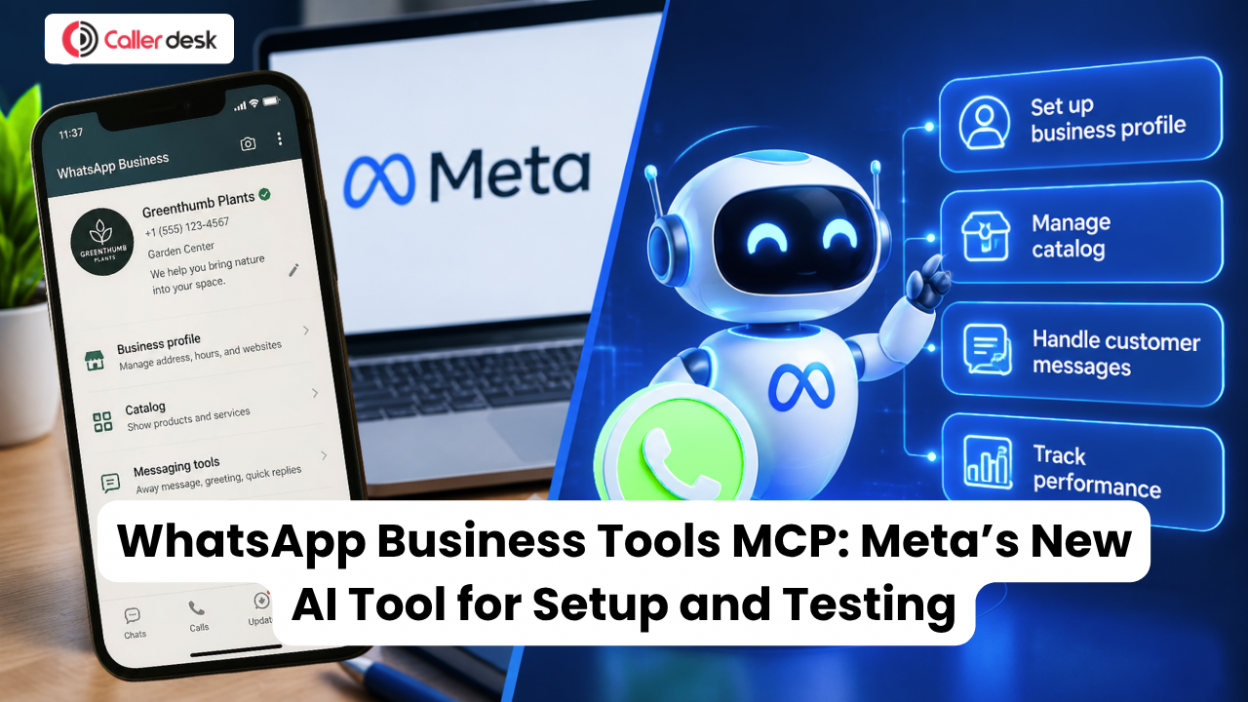
Meta’s official guide to WhatsApp Business Tools MCP describes it as a way for developers to use an AI assistant for certain WhatsApp Business Platform setup and testing tasks. Here are some examples:
1. Prepare a Business Account and Phone Number
The MCP can help developers complete supported steps to prepare a business account and phone number for WhatsApp messaging. This can help them get ready to connect their application to the WhatsApp Cloud API.
2. Create or Edit Message Templates
Businesses use message templates for planned messages, such as reminders and updates. Developers can use the MCP to help create or change templates during setup. WhatsApp must approve templates before they can be used in situations where approval is required.
3. Test Messages
Before an integration is ready, developers can send test messages to check that the setup works. Testing can help them find problems before connecting the system to their business processes.
4. Set Up Webhooks
A webhook sends information from WhatsApp to a business application when an event happens. For example, it can notify the application about a new message or a change in message delivery status. The MCP can help with supported webhook setup tasks.
5. Check for Missing Setup Requirements
The MCP can help developers spot setup steps that still need attention. These may include accepting WhatsApp’s terms, adding a payment method or completing business verification.
Why Might Developers Use It?
Using an AI assistant for supported tasks may help developers complete setup and testing with fewer manual steps. But the MCP does not replace the WhatsApp Cloud API or build a complete messaging application. Developers still need to connect WhatsApp to their systems, build the features their business needs and follow WhatsApp’s messaging rules.
How Is WhatsApp Business Tools MCP Different from Business AI?
Both tools use AI, but they help with different parts of WhatsApp business. WhatsApp Business Tools MCP is for developers working on setup and testing. Business AI is designed to help eligible small businesses handle customer conversations in the WhatsApp Business app.
Meta says Business AI in India can answer customer questions, recommend products, capture leads and help with bookings. A business owner can take over a conversation when needed. Read Meta’s announcement about Business AI.
| Tool | What it helps with |
| WhatsApp Business Tools MCP | Helps developers complete supported setup and testing tasks with an AI assistant. |
| Business AI on WhatsApp | Helps eligible businesses respond to customers in the WhatsApp Business app. |
| WhatsApp Cloud API | Lets a business connect WhatsApp messaging with its own software, so it can send and receive messages through its systems. |
Meta’s official WhatsApp Business Platform workspace explains that its APIs let businesses send and receive WhatsApp messages through their own systems.
Simply put: Business AI helps with customer chats, the Cloud API connects messaging to business software, and MCP helps developers with parts of setup and testing. They do different jobs.
Is It a Customer Messaging Tool?
WhatsApp Business Tools MCP is mainly for developers, not for handling everyday customer chats. Meta’s official announcement focuses on setup and development tasks. It includes test messages that developers can use to check whether their WhatsApp connection is working.
Meta does not describe the MCP as a complete inbox for managing live customer conversations. It is best understood as an assistant for setting up and testing parts of WhatsApp Business messaging. Businesses still need a system for handling their actual customer chats.
Does It Change WhatsApp’s Messaging Rules?
No. Using WhatsApp Business Tools MCP does not change the rules for messaging customers. WhatsApp’s Business Messaging Policy says a business must have a person’s phone number or username and their permission before contacting them.
On the WhatsApp Business Platform, businesses need an approved message template to start a conversation or send a message outside the 24-hour customer service window. Within that window, businesses can reply without a template. If they use automated replies, they must also provide a clear way for customers to reach a person or another support channel.
Meta’s MCP documentation explains how developers connect using a Meta developer account. Before approving the connection, read the access request carefully so you understand what the assistant will be able to do.
What Businesses Should Remember
Think of WhatsApp Business Tools MCP as a setup and testing assistant for developers. Meta describes it as a way to complete supported tasks with an AI assistant. It is not a complete inbox for customer support and does not replace the WhatsApp Cloud API.
Before using it, businesses should:
- Check that the correct Meta developer account is connected.
- Review what the assistant can do, and confirm the recipient before sending a test message.
- For live customer messages, get permission, use approved templates where required, and provide a clear way to reach human support when using automation.
These messaging requirements come from WhatsApp’s Business Messaging Policy.
In short, WhatsApp Business Tools MCP gives developers a conversational way to work through parts of WhatsApp Business setup. It is a useful development tool, but it does not replace the systems and rules required to serve customers on WhatsApp.