Nothing annoys a caller more than hearing: “Please hang up and dial this number.”
- 1 What Is a Phone Extension System?
- 2 Warm Transfer vs Cold Transfer: Two Ways to Route Calls
- 3 Real Story: From “Please Hold” to Instant Call Transfers
- 4 Why Growing Teams Need a Call Transfer System
- 5 Where a Call Transfer System Helps the Most
- 6 How to Set Up a Phone Extension System in CallerDesk
- 7 Manual Transfers vs a Modern Call Transfer System
- 8 Conclusion
- 9 Frequently Asked Questions
The numbers prove it. According to HubSpot research, 33% of customers say their biggest frustration is waiting on hold, and another 33% say it is having to repeat themselves to different support agents. A Zendesk study also found that nearly 70% of customers get irritated when their call is transferred from one department to another, in the wrong way.
Yet in most small businesses, this is still how calls move around. The agent asks the customer to hold, searches for a colleague’s phone number, dials them on a separate line, and hopes the reconnection works. It is slow, unreliable, and makes even a good business look unorganized.
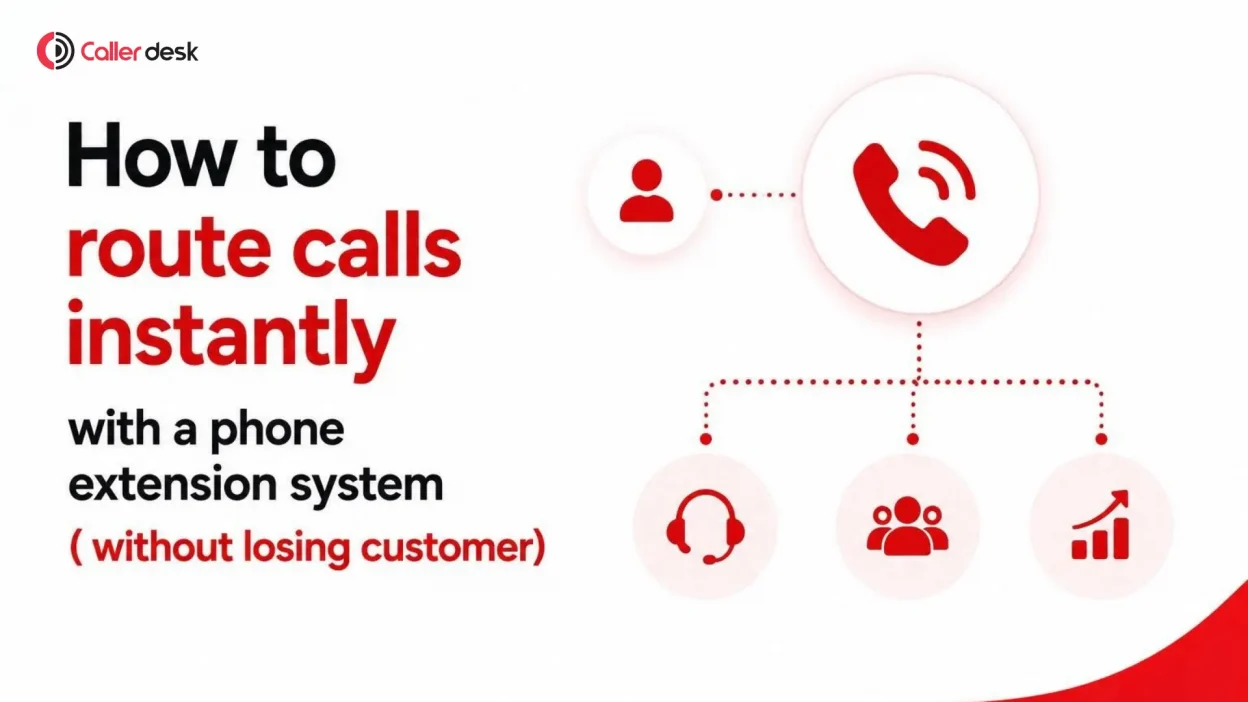
A modern call transfer system with a phone extension setup fixes this problem completely. Your team can route calls to the right person instantly by dialing a short extension number. No hold music. No dropped calls. Do not ask the customer to repeat anything.
In this guide, you will learn how a phone extension system works, the difference between warm and cold transfers, how to set it up, and why growing teams use it to route calls the right way.
What Is a Phone Extension System?
A phone extension system gives every employee or department a short internal number, like 101, 202, or 305, inside your business phone setup. Instead of remembering full 10-digit phone numbers, agents dial just 2 to 4 digits to reach anyone on the team.
When you combine extensions with in-call transfer, it becomes the fastest way to route calls inside your business. Here is how it works:
- A customer is on a live call with Agent A
- Agent A presses the transfer key and dials Agent B’s extension
- The call transfer system routes the live call to Agent B instantly
- The customer stays connected the whole time, with no disconnection and no redialling
Because the call transfer happens inside the phone system and not through a separate outbound call, the handoff is instant and smooth. The customer never hears dead silence, never gets cut off, and never has to explain the issue again from the start.
Warm Transfer vs Cold Transfer: Two Ways to Route Calls
Every call transfer system supports two types of transfers. Knowing when to use each one separates average support teams from great ones.
Warm Transfer (Attended Transfer)
The agent first speaks privately with the teammate before connecting with the customer. For example: “Hi Anil, I have Mr. Sharma on the line asking about his car’s service status. Connecting him now.”
This works best for complex queries, escalations, important customers, and any situation where context matters. It matters more than you might think. Salesforce research found that 35% of customers would even prefer talking to an AI agent over a human if it meant they would not have to repeat themselves. That is how much people hate explaining their problem twice.
Cold Transfer (Blind Transfer)
The agent routes the call directly to the teammate’s extension without a briefing. The call rings on the new agent’s line right away.
This works best for simple routing, such as sending a caller to the billing department, and for busy hours when speed matters more than context.
| Feature | Warm Transfer | Cold Transfer |
| The agent briefs the teammate first | Yes | No |
| Speed | Slightly slower | Instant |
| The customer repeats information | Never | Sometimes |
| Best use case | Escalations and complex issues | Quick department routing |
| Customer experience | Personal and smooth | Fast and efficient |
Modern cloud-based call transfer systems, including CallerDesk, support both types. Your team can choose the right way to route calls in every situation.
Real Story: From “Please Hold” to Instant Call Transfers
Amit runs a car service and maintenance center. His receptionist, Priya, handles all incoming calls, including customers asking about their vehicle’s service status.
Before setting up a phone extension system, her process looked like this:
- Ask the customer to hold
- Call the workshop supervisor, Anil, on a separate mobile number
- Hope he was free and reachable
- Try to manually reconnect both calls
The result was long wait times, frequent call drops, and frustrated customers repeating their vehicle details three times over. This is a real business risk. Zendesk research shows that 85% of consumers will go out of their way to switch to a company with better customer service.
Then Amit enabled extension-based call transfers in his cloud IVR. Now Priya simply presses the transfer button, dials Anil’s extension (102), and the system routes the call instantly. She uses a quick warm transfer, so Anil already knows who is calling and why.
Same team. Same calls. Completely different experience.
Why Growing Teams Need a Call Transfer System
1. You Route Calls in Seconds, Not Minutes
Agents do not need to disconnect the call, search for numbers, or juggle two phones. One button, one extension, and the call is with the right person. During peak hours, those saved seconds add up to hours of recovered productivity across your team.
2. The Customer Never Gets Dropped
The call stays live inside the system during the entire transfer. There is no dead air, no failed call, and no starting over. Patience on the phone is short. An Arise survey found that almost two-thirds of callers will only wait on hold for about two minutes before hanging up. Every prevented drop protects real revenue.
3. Your Business Sounds More Professional
There is a big difference between saying “Please call this other number” and saying “Let me connect you right away.” The second one tells the customer your business is organized, and customers notice.
4. It Grows With Your Team
With 3 employees, manual call transfers are annoying. At 15, they become chaos. A phone extension system keeps your call flow organized as you add people, departments, and locations. You can route calls to the right person without confusion, no matter how big your team gets.
Where a Call Transfer System Helps the Most
- Healthcare and clinics. The front desk routes patient calls to the right doctor’s assistant or billing desk without making worried patients redial.
- Real estate. Receptionists route buyer inquiries straight to the agent handling that specific property.
- Service centers and workshops. Just like Amit’s business, status inquiries go directly to the supervisor on thfe floor.
- E-commerce and online brands. Support agents escalate refund or order issues to senior staff during the same call, with full context passed through a warm transfer.
- Agencies and consultancies. Client calls reach the exact account manager instead of a general inbox.
How to Set Up a Phone Extension System in CallerDesk
Getting started takes just a few minutes. There is no hardware to buy, and no technician visit needed.
- Log in to your CallerDesk dashboard and open your team settings
- Assign extension numbers to each agent, department, or team member. For example, Sales gets 101, Support gets 102, and the Manager gets 201
- Enable in-call transfer in your IVR or call flow settings
- Brief your team. Agents just press the transfer key and dial the extension to route calls during any live conversation
- Test it once internally, and you are live
Because the entire call transfer system runs in the cloud, it works the same whether your team sits in one office, works from home, or is spread across cities. All they need is an internet connection.
Manual Transfers vs a Modern Call Transfer System
| Manual Transfer (Old Way) | Extension Based Transfer (New Way) |
| The customer is put on hold or asked to redial | The customer stays on the live call |
| Agent dials a colleague’s full number separately | Agent dials a 2- to 4-digit extension |
| High risk of call drops | No disconnection during the handoff |
| The customer repeats the issue | Warm transfer carries the context forward |
| Hard to route calls as the team grows | Scales easily with new extensions |
| Needs multiple devices and apps | Works from a single cloud dashboard |
A few more benefits worth knowing:
- Works smoothly with IVR. Menus like “Press 1 for Sales” and extension transfers work hand in hand, so you can route calls automatically and manually.
- No extra equipment. The system is fully cloud-based and works with your existing setup.
- Remote-friendly. Office, hybrid, and work-from-home teams all use it the same way.
- Reliable and secure. Transfers run over secure connections with 99.9% uptime, even during busy hours.
Conclusion
Route Calls Right, Every Time
Customers do not mind being transferred. What they mind is being bounced around with dropped calls, long holds, and repeating themselves to three different people. The research backs this up, since nearly 70% of customers get irritated by badly handled transfers.
With CallerDesk’s extension-based call transfer system, your team can:
- Route calls instantly to the right person, department, or expert
- Choose warm or cold transfers based on the situation
- Work together easily across office, hybrid, and remote teams
- Deliver faster, more personal support that keeps customers loyal
No more delays. No more confusion. Just one smooth handoff, every time.
Book a free demo of CallerDesk today and see how easy it is to route calls with a modern phone extension system.
Frequently Asked Questions
What is the difference between call forwarding and call transfer?
Call forwarding redirects incoming calls before they are answered, for example, sending all calls to another number. A call transfer moves a live, answered call from one agent to another during the conversation. Extension-based transfer is the fastest form of live call transfer.
What is a phone extension system?
It is a setup where every employee or department gets a short internal number, usually 2 to 4 digits, inside your business phone system. Team members can reach each other and route calls to each other without dialing full phone numbers.
Can a call transfer system route calls to a mobile phone?
Yes. With cloud telephony, an extension can ring on a desk phone, a softphone app, or the agent’s mobile. You can route calls even when your teammate is away from their desk.
Do I need special hardware to route calls with extensions?
No. A cloud-based call transfer system works entirely online with your existing phone setup. There is nothing to install and no devices to buy.
Does the customer hear anything during the transfer?
In a cold transfer, the call rings directly on the new agent’s line. In a warm transfer, the customer waits briefly, often with light hold music, while the two agents connect. Then the customer joins the call smoothly.