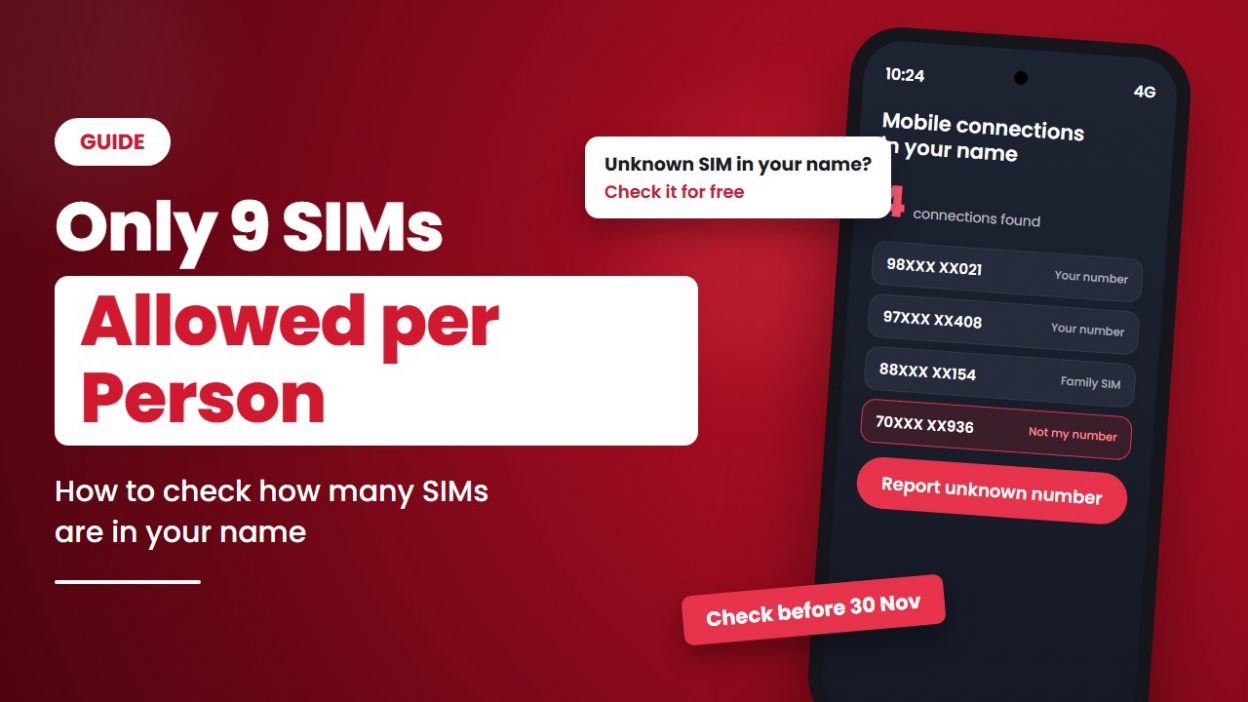
What if someone is using a SIM card registered in your name without your knowledge?
- 1 How Many SIMs Can You Have in India?
- 2 What Has Changed in the SIM Card Rules in 2026?
- 3 3 Reasons to Check Your SIMs Today
- 4 How to Check How Many SIM Cards Are Registered in Your Name
- 5 What to Do If You See an Unknown Number
- 6 What If You Already Have More Than 9 SIMs?
- 7 Take 2 Minutes Today to Protect Your Number
You may think only one or two mobile numbers are linked to your ID. But what if there are more? Sometimes, fraudsters misuse someone’s identity documents to get a SIM card without their permission. This can put your personal information at risk and create problems if the number is used for illegal activities.
To prevent such misuse, the Indian government has set limits on how many mobile connections a person can have. Telecom operators are also required to verify connections and identify suspicious registrations.
The good news? You can check how many SIM cards are registered in your name for free using the government’s Sanchar Saathi portal.
In this guide, you’ll learn how many SIM cards one person can have in India, how to check the mobile numbers registered in your name, and what to do if you find an unknown number.
How Many SIMs Can You Have in India?
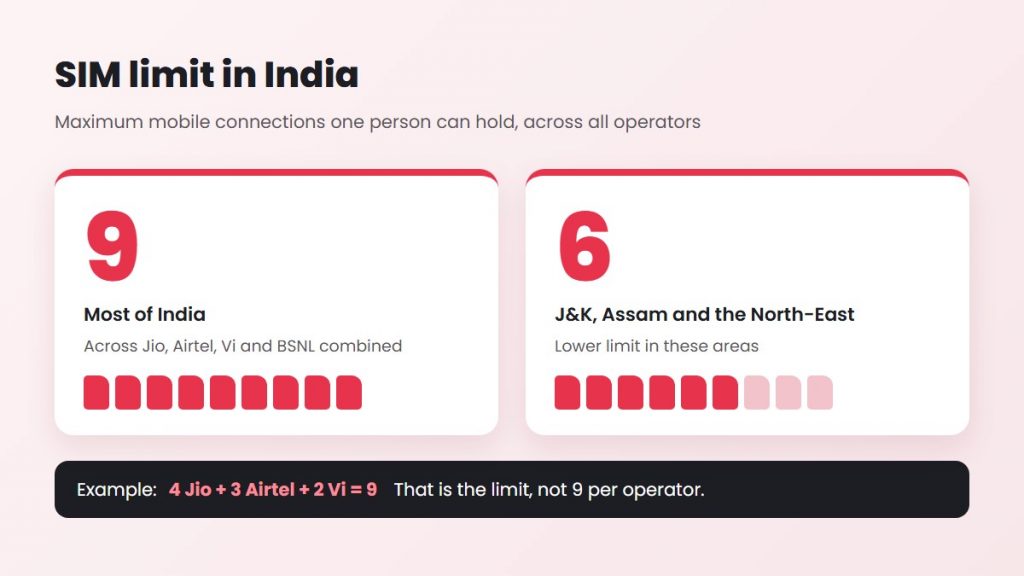
| Where you live | Maximum mobile connections in your name |
| Most of India | 9 |
| Jammu & Kashmir, Assam and the North-East | 6 |
The limit counts all operators together. It is not 9 per company. For example, 4 Jio + 3 Airtel + 2 Vi numbers = 9 connections, and that is the limit.
What Has Changed in the SIM Card Rules in 2026?
The 9-connection limit is not new. What has changed is how strictly it is checked.
According to PTI’s report on the Department of Telecommunications (DoT) circular dated 17 August 2026:
- From 24 August 2026, operators must not issue a new connection to a person who has already reached the limit.
- Operators use subscriber photographs to spot people who try to get more SIMs than allowed.
- Until full checks are in place, any extra connection activated beyond the limit must be suspended immediately.
- Operators have to move to real-time checks by 30 November 2026, so extra SIMs are stopped before they are issued.
ThePrint reports that the aim is to stop fraud, such as “digital arrest” scams, where criminals use SIMs taken in other people’s names.
Why Has the Government Made These Rules Stricter?
The main reason is to prevent SIM card misuse and telecom-related fraud.
According to ThePrint, criminals sometimes obtain SIM cards using other people’s identity documents and use them for scams, including fake digital arrest calls.
With stricter verification, the government aims to stop such misuse and make it harder for fraudsters to obtain mobile connections under someone else’s name.
3 Reasons to Check Your SIMs Today
- To protect yourself from fraud. If a criminal uses a SIM registered in your name, the number can be traced back to you.
- To avoid problems with a new SIM. If unknown numbers are counted in your name, you may hit the limit and not be able to get a new connection.
- To close numbers you no longer use. Old SIMs you forgot about still count towards your limit.
How to Check How Many SIM Cards Are Registered in Your Name
Want to know how many mobile numbers are linked to your name? You can check them online in just a few simple steps.
The Department of Telecommunications (DoT) provides a free service called “Know Mobile Connections in Your Name” through the Sanchar Saathi portal.
This government service allows you to see the mobile connections registered in your name. You can also report any number you don’t recognise or never applied for.
Before you start: Keep your active mobile phone nearby. You’ll need to verify your number using a one-time password (OTP).
Step 1: Open the Official Sanchar Saathi Website
Open your browser and visit tafcop.sancharsaathi.gov.in. This is the official government portal for checking mobile connections registered in your name.
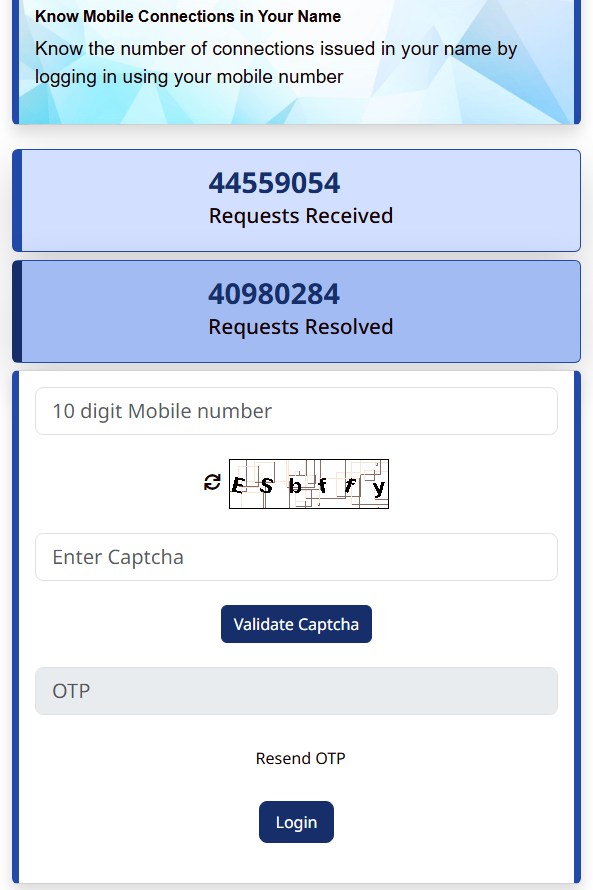
Step 2: Enter Your Mobile Number
Enter your active 10-digit mobile number in the given field. Make sure you enter the correct number because you’ll receive an OTP on it.
Step 3: Complete the Captcha Verification
Enter the captcha code displayed on your screen and click the button to continue with the verification process.
Step 4: Verify Your Number Using OTP
You’ll receive an OTP on your mobile number. Enter the code on the website to complete verification and log in.
Step 5: Check the SIM Cards Registered in Your Name
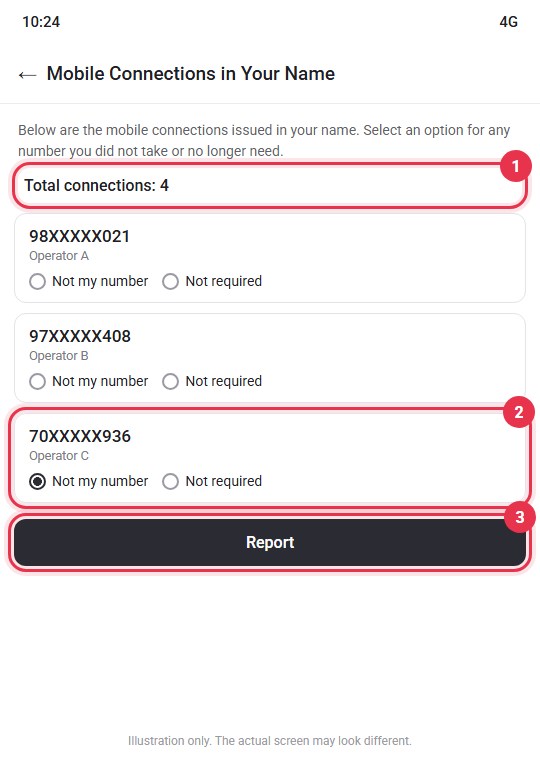
After logging in, you’ll see a list of mobile numbers issued in your name.
Go through the list to check how many connections are registered under your identity.
Step 6: Identify Any Unknown Mobile Numbers
Check each number carefully. If you find a number you don’t recognise or never requested, you can report it directly through the portal.
Another option: You can also use the official Sanchar Saathi mobile app to check mobile connections registered in your name.
What to Do If You See an Unknown Number
The Sanchar Saathi portal lets you ask for a connection to be disconnected if it was not taken by you or is not required by you.
- Next to the number, choose the option that says the number is not yours, or that you don’t need it.
- Submit the request.
- Save the request ID shown on the screen, so you can track it later.
Your mobile operator then checks the request and takes action on that connection.
Tip: Don’t report a number you actually use, such as a family member’s SIM that is in your name. If you want to keep it, leave it as it is.
What If You Already Have More Than 9 SIMs?
If more than 9 connections are registered in your name (or more than 6 in J&K, Assam and the North-East), the extra ones can be suspended under the new checks.
To stay safe:
- Use Sanchar Saathi to close the numbers you no longer need.
- If a family member uses a SIM in your name, ask your operator about moving it into their name.
- Contact your operator if you are not sure which numbers will be affected.
Take 2 Minutes Today to Protect Your Number
Checking the SIMs in your name takes about two minutes and is completely free. Visit Sanchar Saathi, log in with your number and OTP, and look through the list. If you see a number you don’t recognise, report it right away.
With real-time checks due by 30 November 2026, this is a good time to clean up any old or unknown connections in your name.
Running a business with a calling team? Many business owners buy SIM cards in their own name for their sales or support staff. With the 9-connection limit, this can quickly become a problem. A better option is a single business number that your whole team can use. CallerDesk gives your business a virtual number that rings on your team’s phones, so you can manage customer calls without buying a new SIM for every team member.

About the Author
Durgesh Sharma
SEO and Digital Marketing Specialist
Durgesh has over 5 years of experience in SEO and digital marketing. His skills include on-page, off-page and technical SEO, keyword research, content strategy, AEO and GEO, social media optimization and ad campaigns.
Connect on LinkedIn