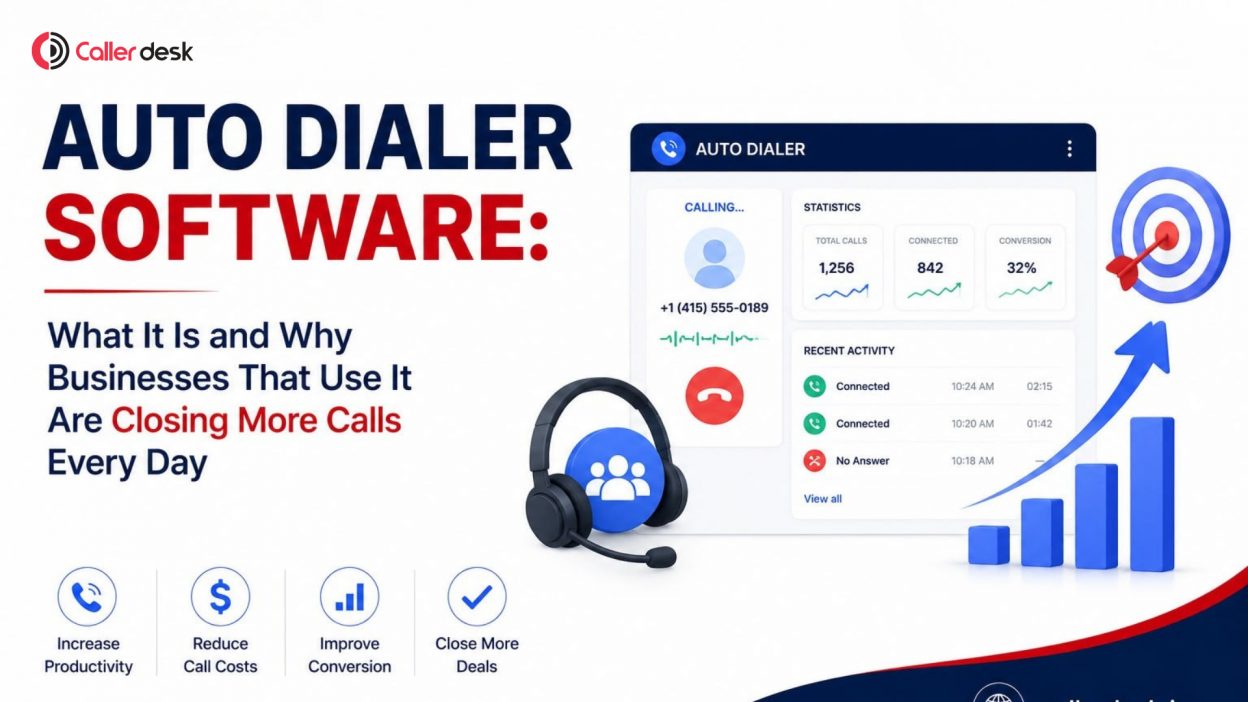
Outbound calling looks simple until you see how much time is lost between dials. According to Salesforce, sales reps spend only 28% of their time actually selling. The rest goes to manual tasks like dialing, waiting, and logging. Auto dialer software fixes this. Businesses using it report agent talk time improvements of 200–300%, making it one of the highest-ROI investments in outbound communication. (Source: Intelligent Contacts, 2024)
- 1 When Do Businesses Actually Need Auto Dialer Software?
- 2 What Is Auto Dialer Software?
- 3 How Auto Dialer Software Actually Works
- 4 Types of Auto Dialers
- 5 What Changes in the Calling Process When Auto Dialer Software Is Used
- 6 Real Use Cases Across Industries
- 7 Features That Actually Improve Productivity
- 8 Compliance, DND & Calling Regulations
- 9 Choosing the Right Dialing Mode
- 10 Example: How Auto Dialer Software Improves Outbound Calling Performance
- 11 Conclusion
- 12 Frequently Asked Questions (FAQs)
When Do Businesses Actually Need Auto Dialer Software?
Most teams don’t realize when to switch until it’s too late. You need an auto dialer when lead volume is hard to manage manually, agents spend more time dialing than talking, follow-ups are getting skipped, or hiring more agents isn’t improving output.
Boston Consulting Group estimates companies waste 30–50% of their sales budgets on inefficient processes like manual dialing and inconsistent follow-up. When productivity is stalling despite a growing team, that’s the signal.
What Is Auto Dialer Software?
Auto dialer software is a system that automatically dials phone numbers from a contact list and connects answered calls to available agents, eliminating manual dialing entirely.
You upload a list → the system dials automatically → answered calls go straight to agents → busy signals and voicemails are filtered out.
The global auto dialer software market was valued at USD 506.6 million in 2024 and is projected to reach USD 1.22 billion by 2034 at a 9.2% CAGR. (Source: Fact.MR)
How Auto Dialer Software Actually Works
The dialing engine controls everything. It uses modes like power or predictive dialing, routes answered calls to the next available agent, filters unanswered and disconnected numbers, and syncs all data with your CRM in real time.
Auto dialers reduce agent idle time by up to 85% and increase connection rates by 30–50% compared to manual dialing. (Source: Apollo.io, 2025) The dialing mode you choose matters more than the software brand; the wrong mode equals poor performance even with a strong tool.
Types of Auto Dialers
a. Preview Dialer
Agents review the lead’s full profile before the call is placed. Best for high-value or complex sales where context matters more than speed. Zero call abandonment risk.
Case study reference: Insurance and financial services teams using preview dialers report higher conversation quality and better compliance alignment, as agents are fully prepared before speaking with prospects. (JustCall, 2026)
b. Power Dialer
Dials one number per agent automatically as soon as the previous call ends. Balances speed with control. Ideal for mid-sized sales teams.
Stat: Power dialers can increase live conversations by up to 3x per hour, per agent, while keeping call abandonment at 0%. Real estate firm Fischer Homes saw a 25% productivity increase in their inside sales team after switching to a power dialer solution. (Source: Kixie, 2024)
c. Progressive Dialer
Automatically dials the next number as soon as an agent becomes available, without any manual trigger. Maintains a steady flow of calls with no downtime.
Stat: Progressive dialers are gaining the fastest traction in the IT and telecom sectors, where both call volume and quality are critical factors. (Grand View Research, 2025)
d. Predictive Dialer
Uses algorithms to dial multiple numbers simultaneously, predicting agent availability and routing live calls instantly. Built for high-volume call centers.
Stat: Predictive dialers can boost agent talk time from 10–15 minutes per hour under manual dialing to 40–50 minutes per hour, a 200–400% improvement. However, they require a minimum of 50–100 agents to function accurately. (Source: Intelligent Contacts)
What Changes in the Calling Process When Auto Dialer Software Is Used
a. Reduced Idle Time
Agents no longer wait between calls. Auto dialers reduce the gap between conversations from 30–60 seconds under manual dialing to under 10 seconds. Across a team of 10 agents over an 8-hour shift, this compounds into hours of recovered productive time daily.
b. Higher Call Attempts per Hour
With automation, teams make up to 3x more call attempts at the same time. SDR teams tested with parallel dialers recorded a jump from roughly 9 live conversations per hour (manual) to 42 per hour with automation. (Source: Retell AI, 2026)
c. Better Lead Prioritization
When auto dialers connect with your CRM, leads are automatically ranked by score, behavior, or tags. Agents reach high-intent leads first, not a random name on a list. A 2024 report found that auto-dialers increase BPO outbound campaign efficiency by 47% and reduce average handle time by 20%. (Source: iCallify)
d. Faster Response to Fresh Leads
New leads cool fast. Auto dialers can trigger calls within minutes of a form submission. Research by Software Advice shows prospects are 4x more likely to answer calls from local numbers, a feature built into most modern dialers through local presence dialing.
Real Use Cases Across Industries
a. Real Estate
Fischer Homes, a real estate and home building company, increased inside sales team productivity by 25% after implementing a power dialer. Agents spent less time on manual tasks and more time speaking with qualified buyers. (Kixie, 2024)
b. Insurance
Auto dialers in insurance help eliminate idle time between calls and improve lead prioritization through CRM sync, with the right setup delivering 2–3x agent productivity compared to manual processes. (InsureLeads, 2026)
c. EdTech
An EdTech startup using CallHippo’s auto dialer resolved a critical issue with flagged phone numbers, improving attestation scores, answer rates, and overall customer experience, directly improving lead-to-enrolment conversion. (CallHippo, 2025)
d. SaaS Sales
A B2B SaaS SDR team tested with JustCall’s auto dialer averaged 62 live connections per rep per day, with native CRM sync eliminating 8–10 minutes of manual logging per rep per day. (Retell AI, 2026)
e. Customer Retention
In 2024, 57% of customer care leaders expected call volumes to increase by up to 20% within 1–2 years. Auto dialers allow retention teams to handle this growth without adding headcount. (JustCall, 2024)
Features That Actually Improve Productivity
a. CRM Integration
Automatically syncs lead data, call history, and outcomes, with no manual entry. Agents see the full contact context before every call.
b. Call Recording
Records all conversations for quality review, compliance audits, and agent coaching. Managers don’t need to sit in on calls to improve performance.
c. Call Tracking
Tracks outcomes like answered, missed, busy, or disconnected, giving teams clear data on what’s working and where to improve.
d. DND Filtering
Automatically removes numbers on Do Not Disturb lists before dialing. Protects deliverability, reduces spam flagging, and keeps compliance intact.
e. Multi-Agent Routing
Routes answered calls to the next available agent instantly. No call waits for a specific agent. The speed of connection improves customer experience.
f. Reporting Dashboard
Real-time dashboards display connect rates, agent performance, talk time, and campaign outcomes, turning calling data into actionable strategy.
Compliance, DND & Calling Regulations
In India, TRAI regulations require consent-based calling and strict DND adherence. Non-compliance leads to spam tagging, number blocking, and legal risk. Globally, TCPA violations in the US resulted in 2,788 cases filed in 2024 with average settlements of USD 6.6 million. (Source: Retell AI, 2026) Always use auto dialer software with built-in DND filtering, time-zone-aware dialing, and caller ID attestation.
Choosing the Right Dialing Mode
a. Business Size Fit (Startup vs Enterprise)
Startups need simple, flexible tools. Enterprises need advanced routing and multi-team configuration.
b. Call Volume Requirements
Under 100 calls/day per agent, use a power or preview dialer. High volume (500+ calls/day), use predictive or progressive.
c. Integration Ecosystem
Your dialer must connect to your CRM, lead tools, and support systems without friction.
d. Support and Uptime Reliability
Calling is real-time. Look for providers with 99.9%+ uptime SLAs. Downtime during peak hours = lost revenue.
e. Reporting Depth
Deep dashboards drive smarter decisions. Surface-level data keeps you guessing.
Example: How Auto Dialer Software Improves Outbound Calling Performance
A 10-agent sales team handling 1,000 leads per week averaged 45–50 manual calls per agent per day. After switching to an auto dialer, daily call attempts rose to 75–85 per agent, a 60–70% increase, with faster follow-ups and zero missed callbacks. Output grew without adding a single hire.
Conclusion
Auto dialer software is not just a calling tool; it’s a productivity multiplier. With agent talk time improvements of 200–300%, idle time reductions of up to 85%, and market growth heading toward USD 1.22 billion by 2034, the case is clear. Choose the right dialing mode for your team size and goals. If you’re looking for a reliable starting point, CallerDesk offers automation, CRM integration, and scalable calling features built for growing teams.
Frequently Asked Questions (FAQs)
1. What is auto dialer software used for?
Auto dialer software is used to automate outbound calling by dialing numbers from a contact list and connecting live answers to agents. It is used for sales, lead generation, appointment reminders, customer follow-ups, and renewal calls, removing manual effort and reducing idle time between calls.
2. How does auto dialer software improve agent productivity?
It eliminates manual dialing, cutting idle time from 30–60 seconds per call to under 10 seconds. This pushes agent talk time from 10–15 minutes per hour to 40–50 minutes per hour. Combined with CRM sync and lead prioritization, agents focus entirely on live conversations.
3. Is auto dialer software suitable for small businesses?
Yes. Power and preview dialers work well for small teams because they offer automation without complexity. They require no minimum agent count, keep abandonment at 0%, and are cost-effective on subscription-based plans. Small teams see faster lead response and better follow-up consistency.
4. What is the difference between a power dialer and a predictive dialer?
A power dialer calls one number per agent at a time, simple, controlled, and with zero abandonment. A predictive dialer uses algorithms to call multiple numbers simultaneously, routing live answers instantly to agents. Predictive dialers need 50–100 agents to run accurately; power dialers work for any team size.
5. Can auto dialer software integrate with CRM?
Yes. Most modern auto dialers integrate natively with Salesforce, HubSpot, Zoho, and other CRM platforms. Integration automatically logs call outcomes, syncs lead history, and updates records in real time, eliminating manual data entry and reducing errors in follow-up workflows.
6. Is auto dialer software legal to use in India?
Yes, when used in compliance with TRAI regulations. Businesses must follow DND guidelines, obtain consent where required, and avoid spam calling practices. Non-compliant dialing leads to number blocking, spam tagging, and potential legal penalties. Choose software with built-in DND filtering and local compliance tools.
7. What results can businesses realistically expect from auto dialer software?
Businesses typically see 60–300% more call attempts per agent per day, 200–400% improvement in agent talk time, and 20–50% higher connect rates compared to manual dialing. Real-world examples include a 25% productivity increase at Fischer Homes and a 47% outbound efficiency gain in BPO campaigns.
Sources: Salesforce State of Sales | Fact.MR | Apollo.io | Intelligent Contacts | Kixie | iCallify | JustCall | Retell AI | InsureLeads | Boston Consulting Group | Grand View Research | CallHippo | Software Advice