
Imagine you manage a customer support team using a cloud telephony system. Some employees work from the office, while others work remotely. A few may even travel while handling customer calls. Now imagine a login attempt appears from a location you’ve never seen before. The username and password are correct, but should access still be allowed?
- 1 Why Login Security Matters More Than Ever
- 2 What Is IP-Based Login Restriction?
- 3 How Restricted IP Address Works in CallerDesk
- 4 5 Ways IP Restriction Protects Your Business
- 5 Real-Life Business Scenario: When “Work From Anywhere” Becomes a Risk
- 6 Who Should Use IP Address Restrictions?
- 7 Managing Remote Teams Without Sacrificing Security
- 8 Best Practices for Using IP Address Restrictions Effectively
- 9 How CallerDesk Helps Businesses Secure IVR Access
- 10 Conclusion
- 11 Frequently Asked Question
This is where IP restriction becomes useful. It allows access only from approved locations and blocks login attempts from unknown networks. As a result, customer data, call records, reports, and system settings remain protected. It gives businesses greater control over who can access their IVR platform and from where.
Why Login Security Matters More Than Ever
Today’s businesses operate differently than they did a few years ago. Teams often work from multiple locations, and business applications are accessed from different devices and networks. While this flexibility improves productivity, it also creates new security challenges.
Today’s Business Reality
- Hybrid work environments
- Work-from-home agents
- Multiple branch offices
- Shared business applications
- Growing cybersecurity risks
The Hidden Risk
Many businesses believe, “If the password is secure, we’re safe.”
Unfortunately, that is not always true.
Passwords can be:
- Shared accidentally
- Stolen through phishing attacks
- Reused across different platforms
- Used on unsecured networks
Because of this, even a valid login can become a security risk if it comes from an unknown or untrusted location.
What Is IP-Based Login Restriction?
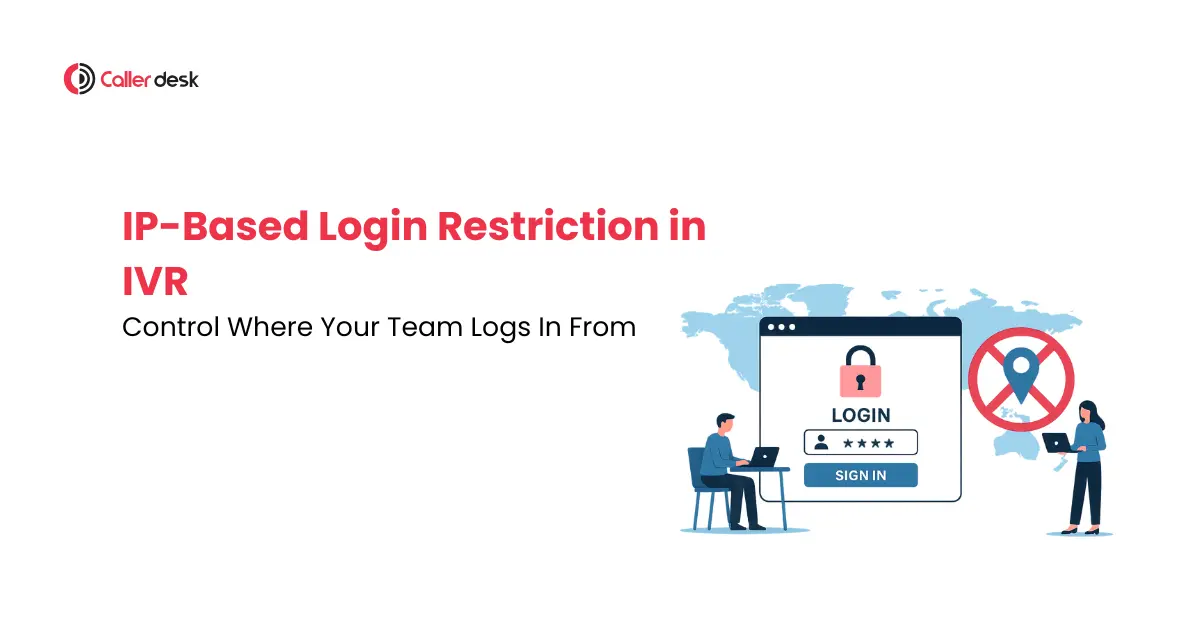
IP-Based Login Restriction is a security feature that allows access only from approved IP addresses. If a user logs in from a trusted location, access is granted. If the login attempt comes from an unapproved network, access is blocked automatically. This helps businesses control where their teams can access the IVR platform from.
A Simple Way to Understand It
Think of it as a security guard at your office entrance. Having the correct employee ID is important, but entry is allowed only through an approved gate.
Similarly, IP restriction checks:
- Who is logging in
- Where they are logging in from
Only when both conditions match is access granted.
How Restricted IP Address Works in CallerDesk
- Step 1: The employee enters their username and password to start the login process.
- Step 2: The system verifies the credentials to confirm they are correct and active.
- Step 3: After verification, the platform checks the IP address of the login request.
- Step 4: If the IP address matches an approved and trusted location, access is allowed.
- Step 5: If the IP address is not approved, the system blocks access immediately for security.
5 Ways IP Restriction Protects Your Business
Stops Unauthorized Logins
Even if someone has correct login details, access is still blocked from unknown locations. A former employee may try using old credentials, but the system will not allow entry. This keeps your IVR platform safe from misuse.
Protects Customer Information
Customer data like phone numbers, call recordings, and reports stays protected. Only approved locations are allowed to access this information. This reduces the risk of data leakage or unauthorized viewing.
Prevents Risky Public Wi-Fi Access
Public networks like cafés, airports, and hotels are often unsafe. IP restriction stops logins from such untrusted networks. Your team is allowed only on secure and approved connections.
Improves Visibility and Accountability
Every login comes from a known and approved location. This makes monitoring user activity much easier for businesses. Suspicious access attempts can be identified quickly.
Supports Compliance and Security Policies
Industries like healthcare, finance, and insurance require strict access control. Restricted IP address help businesses follow these security rules easily. It also strengthens overall system protection.
Real-Life Business Scenario: When “Work From Anywhere” Becomes a Risk
Meet Raj:
Raj manages a growing customer support team. His agents work from:
- Office
- Home
- Temporary workspaces
Different remote locations for flexibility and daily operations.
One evening, an unusual login attempt appears. The login credentials are valid and correctly entered. But the IP address is completely unfamiliar and untrusted.
What Raj Did:
He enabled IP restriction for his IVR system. Only approved locations were allowed for login access.
- Head office network was added as a trusted source.
- Team leaders’ home networks were also approved.
- A backup office location was included for safety.
The Result:
- Unauthorized access attempts were blocked instantly by the system.
- Team productivity remained smooth and completely unaffected.
- Customer data stayed fully protected from any risk.
- The entire system became more secure and controlled.
This is exactly how businesses use IP restriction in real-world situations to manage security.
Who Should Use IP Address Restrictions?
Customer Support Teams
Customer support teams handle daily customer calls and queries. They often access call logs, recordings, and customer details. IP restriction helps ensure this data is accessed only from trusted locations.
Sales Teams
Sales teams manage important lead information and client communication history. This data is very sensitive for business growth. IP Address Restrictions help keep it secure and prevent unauthorized access.
Call Centers and BPOs
Call centers and BPO teams work on shared systems with multiple agents. Access from approved locations ensures better control and security. It also reduces the risk of system misuse.
Multi-Branch Businesses
Businesses with multiple branches need controlled system access across locations. Restricted IP address helps standardize access rules for all offices. This keeps operations consistent and secure.
Organizations Handling Sensitive Data
Organizations dealing with sensitive customer or business data need extra protection. IP restriction reduces exposure to unknown or unsafe logins. It strengthens overall system security.
Managing Remote Teams Without Sacrificing Security
One common question businesses ask is,
“What about remote employees?”
The answer is simple and practical. Remote work can continue smoothly, but access must stay controlled and secure.
Businesses can approve trusted login sources like:
- Employee home networks for daily work access
- Remote office locations for distributed teams
- Secure VPN connections for safe system entry
This setup allows flexibility without losing control over security. Remote teams can work efficiently from different places. At the same time, access is still limited to trusted and verified networks. This balance helps businesses support remote work while protecting sensitive IVR data.
Best Practices for Using IP Address Restrictions Effectively
- Approve only trusted locations for secure access.
- Regularly remove old or unused IP addresses.
- Use OTP, strong passwords, and monitoring together.
- Check login activity to spot unusual access.
- Update IP list whenever new locations are added.
How CallerDesk Helps Businesses Secure IVR Access
With IP-Based Login Restriction, businesses get better control over IVR access. It ensures that only trusted locations are allowed, while risky logins are blocked instantly. This helps protect sensitive business communication in a simple way.
With this feature, businesses can:
- Control where users log in from
- Block unauthorized access attempts
- Protect customer and call data
- Support secure remote working
- Improve visibility of system access
- Strengthen overall platform security
Along with features like OTP verification, security questions, and activity tracking, an extra layer of protection is created. This makes IVR access safer, smarter, and more controlled for daily operations.
Conclusion
In a world of hybrid work and remote access, security needs to be built into your workflow, not added as an afterthought.
CallerDesk’s IP-Based Login Restriction gives you:
- Control over where logins happen
- Transparency into who is accessing what
- Peace of mind that your system is secure
Security is not about limiting your team — it’s about empowering them to work safely.
CallerDesk makes it simple to lock down your IVR access, while still keeping your business moving forward.
Frequently Asked Question
1. What is IP-Based Login Restriction in IVR?
IP-Based Login Restriction is a security feature that allows access to your IVR system only from approved IP addresses (like your office or home Wi-Fi). If someone tries to log in from an unapproved network, access is blocked automatically.
2. Why should I use IP-Based Login Restrictions for my team?
This feature helps prevent unauthorized logins, data misuse, or access from unsafe networks like public Wi-Fi. It ensures only trusted locations can access your system — keeping sensitive customer data secure.
3. Can remote teams still work with this feature enabled?
Yes. You can approve home networks, branch offices, or other secure locations as valid IPs. Your remote team can work efficiently while ensuring all access is safe and controlled.
4. How does this feature help with compliance and audits?
Industries like healthcare, finance, or legal services have strict security rules. IP-based restrictions help you meet compliance standards by limiting data access to verified, secure environments and keeping detailed login records.
5: Will I be notified if someone tries to log in from an unapproved location?
Yes. CallerDesk logs every login attempt, including the IP address. You can set up alerts or review reports to monitor unusual activity and take quick action when needed.