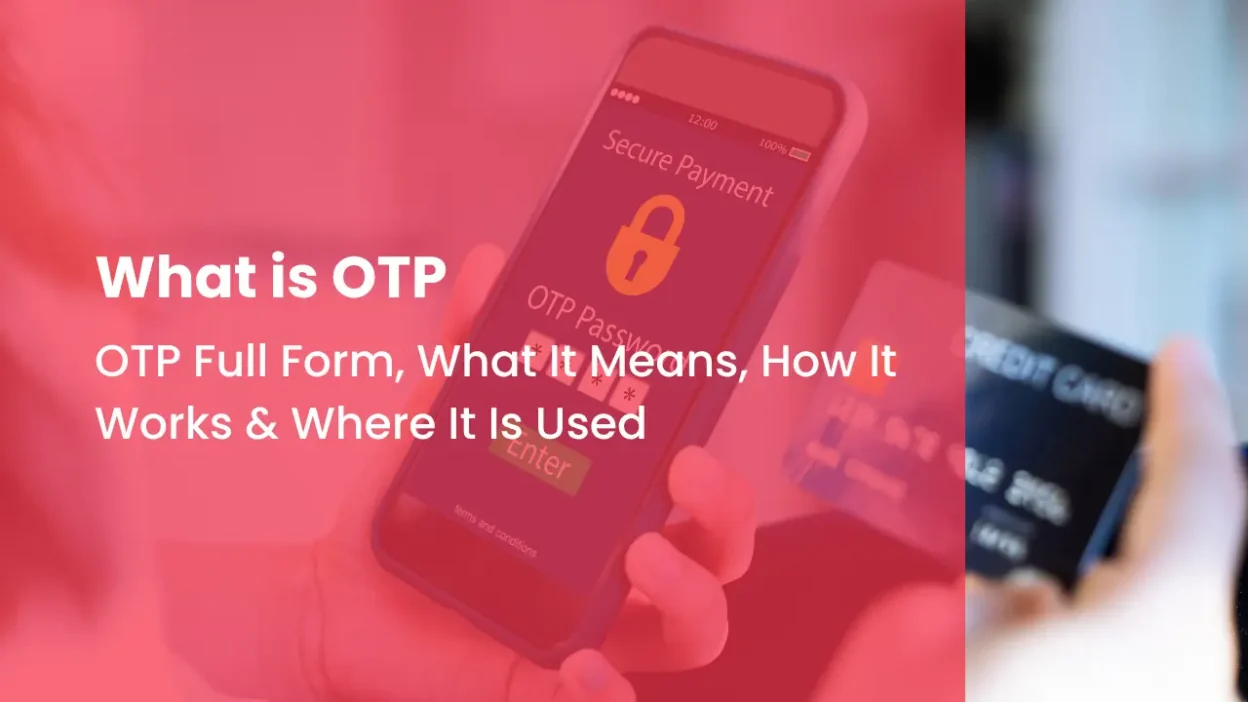
You may receive an OTP when you create an account, log in to a website, make an online payment, reset a password, or verify your mobile number.
- 1 OTP Full Form and Meaning
- 2 How OTP Verification Works
- 3 Why Do Businesses Use OTP?
- 4 Where Is OTP Used?
- 5 Different Ways to Send an OTP
- 6 How Long Does an OTP Stay Valid?
- 7 Why Is My OTP Not Received?
- 8 Is OTP Safe to Use?
- 9 OTP vs Password
- 10 OTP vs 2FA
- 11 Why OTP Delivery Matters for Businesses
- 12 How CallerDesk Helps Businesses Send OTPs
- 13 Conclusion
OTP stands for One-Time Password. It is a temporary code used to verify a user or confirm a particular action.
For example, you may receive a message like:
Your OTP is 582614. This code is valid for 5 minutes.
Here, 582614 is the OTP number. The code is usually valid for a short time and is normally used only once.
For customers, an OTP is simply a code they enter to complete a verification step. For businesses, OTP verification is an important part of the customer journey. If the OTP is delayed or does not reach the customer, they may not be able to complete their signup, login, payment, or other important actions.
This is why businesses need a reliable way to send OTPs to their customers.
OTP Full Form and Meaning
The OTP full form is One-Time Password.
An OTP is a temporary password generated for a specific verification request. Unlike a normal password, the customer usually does not create or remember it.
When a customer requests an OTP, the business system generates a code and sends it through a selected communication channel. The customer then enters that code to complete the verification.
An OTP is generally:
- Temporary
- Valid for a limited period
- Created for a specific request
- Intended for one-time use
Once the OTP is used successfully or expires, it should no longer work.
How OTP Verification Works
OTP verification is used to confirm that a customer has access to a particular phone number, email address, or authentication method.
The process usually works like this:
First, the customer starts an action that requires verification. This could be creating an account, logging in, resetting a password, or confirming a transaction.
The business system then generates a temporary OTP and sets a validity period for it.
The OTP is sent to the customer’s registered mobile number, email address, or another supported channel.
The customer enters the code on the website or application.
The system checks the code. If the OTP is correct and has not expired, the verification is completed.
For a business, every part of this process matters. Even if the OTP is generated correctly, the customer cannot complete verification if the code does not reach them on time.
Why Do Businesses Use OTP?
Businesses use OTPs when they need an additional way to verify customers or confirm that a particular action is being performed by the right person.
One common use is mobile number verification. When a customer creates an account, the business can send an OTP to confirm that the customer has access to the mobile number they entered.
OTPs are also used for login verification, password recovery, online transactions, customer account access, and other verification processes.
For businesses, OTPs can also reduce problems caused by forgotten passwords. Instead of asking a customer to remember another password, the business can send a temporary code when verification is required.
The exact use of OTP depends on the business and its customer journey.
Where Is OTP Used?
OTP verification is commonly used by businesses to verify customers, protect accounts, and confirm important actions. Some of the most common uses are:
1. Account Registration
When a customer creates a new account, a business can send an OTP to verify their mobile number or email address. This helps confirm that the contact details provided during signup are accessible to the customer.
2. Login Verification
An OTP can add an extra verification step when a customer logs in from a new device or when the business needs additional confirmation before allowing account access.
3. Password Reset
When a customer forgets their password, an OTP can be sent to their registered mobile number or email address. After entering the correct code, the customer can continue with the password reset process.
4. Online Payments and Transactions
Businesses and financial services may use OTP verification to confirm certain payments or sensitive transactions. The code helps verify that the person completing the action has access to the registered contact method.
5. KYC and Customer Verification
OTP can be used as one part of a KYC or customer verification process. For example, a business may send an OTP to verify a customer’s registered mobile number before moving to the next step.
6. Order and Service Confirmation
Businesses can use OTPs to confirm bookings, deliveries, appointments, or service requests. This can help make sure that the person completing the action is the intended customer.
7. Employee and Business Account Access
OTP verification is not limited to customers. Businesses can also use OTPs as an additional verification step when employees access internal systems, dashboards, or other business accounts.
This makes OTP useful across different parts of a business, from account registration and login to payments, customer verification, and service confirmation.
Different Ways to Send an OTP
Businesses can deliver OTPs through different communication channels. The right option depends on the type of business, customer preferences, and the verification process.
1. SMS OTP
SMS is one of the most common ways to send an OTP.
The customer enters their mobile number and receives a text message containing the verification code. They then enter the code on the website or application.
SMS OTP is commonly used for account registration, mobile verification, login, password recovery, and other customer actions.
It is convenient because the customer does not normally need to open another application to receive the code.
2. Voice OTP
Voice OTP sends the verification code through an automated phone call instead of a text message.
This can be useful when a customer is unable to receive or access an SMS. The customer answers the call and listens to the OTP.
For businesses, voice OTP can provide another way to reach customers when SMS is not suitable for a particular situation.
3. Email OTP
Some businesses send OTPs to a customer’s registered email address.
Email OTP can be useful when email is already part of the customer’s account or verification process. However, it may not be as convenient as SMS for situations where customers need a quick mobile verification.
4. WhatsApp OTP
Businesses can also use WhatsApp for certain customer communication and verification journeys where the channel is supported.
Since many customers already use WhatsApp regularly, it can be a convenient communication option for businesses.
The choice of channel should depend on the business process and the customers it serves.
5. Authenticator App OTP
Authenticator apps can generate temporary verification codes on a user’s device.
These codes are commonly used for account security and multi-factor authentication. Unlike SMS or voice OTP, the code is generated through an authentication app rather than being delivered as a message or phone call.
How Long Does an OTP Stay Valid?
An OTP does not stay valid forever.
The business or authentication system decides how long the code can be used. Many OTPs are valid for a few minutes, while codes generated by authenticator apps may change much more frequently.
The purpose of a short validity period is to reduce the amount of time in which the code can be used.
If the OTP expires before the customer enters it, a new OTP usually needs to be requested.
Businesses should choose an appropriate validity period based on their verification process. A very short period may create problems for customers if delivery is delayed, while a longer period may not be suitable for every security-sensitive action.
Why Is My OTP Not Received?
Sometimes an OTP may take longer than expected to arrive.
This can happen because of mobile network problems, SMS routing delays, temporary communication issues, an incorrect phone number, or problems with the customer’s device.
Repeatedly requesting new OTPs can also create confusion. A customer may receive several codes at different times and accidentally enter an older one that has already expired.
For businesses, OTP delivery problems can directly affect customer experience.
If someone is trying to create an account but cannot receive the verification code, they may leave the website. The same can happen during login, password recovery, or payment-related verification.
This is why businesses need to pay attention not only to OTP generation but also to how the code is delivered.
Is OTP Safe to Use?
OTP verification can add an important layer of security, but customers still need to use OTPs carefully.
An OTP should never be shared with another person.
Scammers may call or message customers and pretend to be from a bank, company, delivery service, or support team. They may ask for an OTP to gain access to an account or complete an unauthorized action.
Customers should only enter an OTP on the official website or application where they requested the code.
OTP security also depends on how the business designs its verification system. Expiry times, request limits, secure code handling, and other security controls can all play a role.
An OTP is useful for verification, but it should not be treated as a complete solution for every security risk.
OTP vs Password
An OTP and a normal password serve different purposes.
A password is generally created by the user and can be used repeatedly until it is changed.
An OTP is generated for a specific verification request and normally works only for a limited period.
For example, a customer may use the same account password every time they log in. An OTP, on the other hand, may be different each time the customer requests verification.
This temporary nature is what makes OTP useful for many verification processes.
OTP vs 2FA
OTP and two-factor authentication, or 2FA, are not the same thing.
An OTP is a temporary code used for verification. 2FA is a security method that requires two different types of verification.
For example, a service may ask a customer to enter their password and then enter an OTP sent to their phone.
In this case, the password and OTP are being used as two separate steps.
An OTP can therefore be part of a 2FA process, but using an OTP does not automatically mean that every system is using 2FA.
Why OTP Delivery Matters for Businesses
Generating an OTP is only one part of the verification process.
The code also needs to reach the customer at the right time.
Consider a customer who is signing up for an online service. They enter their mobile number and request an OTP, but the message does not arrive.
They wait.
They request another code.
Still nothing.
At this point, the customer may simply leave the website or application.
For a business, this can mean a lost signup, abandoned transaction, failed login, or frustrated customer.
Reliable OTP communication can help businesses reduce this type of friction. It also gives customers a smoother experience when they need to verify their identity or complete an important action.
How CallerDesk Helps Businesses Send OTPs
CallerDesk helps businesses communicate with customers through SMS and voice OTP solutions.
Businesses can use SMS OTP for common verification needs such as mobile number verification, account registration, login, and other customer workflows.
When SMS is not suitable for a particular customer or situation, Voice OTP can provide another way to communicate the verification code through an automated call.
This gives businesses more flexibility in how they communicate with customers.
For businesses handling customer verification at scale, having SMS and voice communication options can be useful across different customer journeys.
CallerDesk can be used by businesses of different sizes that need business communication solutions for customer interactions, including OTP communication.
Conclusion
OTP stands for One-Time Password. It is a temporary code used to verify a customer or confirm an action.
Customers see OTPs during everyday activities such as signing up, logging in, resetting passwords, making payments, and verifying mobile numbers.
For businesses, however, OTP verification is more than generating a code. The code needs to reach the customer quickly enough for them to complete the required action.
SMS remains a common way to deliver OTPs, while voice OTP can provide another option when SMS is not suitable.
With SMS and voice communication options, CallerDesk helps businesses make OTP communication easier across different customer verification journeys.
If your business needs a reliable way to communicate with customers through SMS and voice, CallerDesk can help you build a smoother communication experience.
Contact CallerDesk
Phone: +91-8882201213
Email: info@callerdesk.io