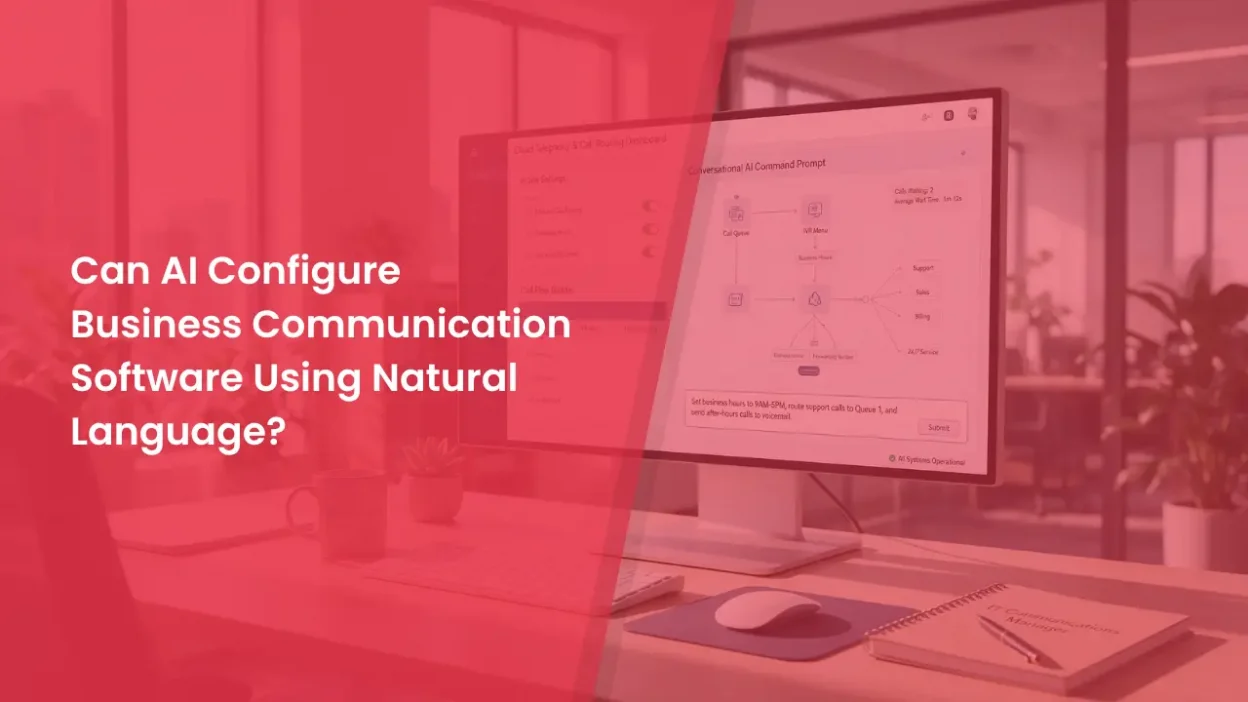
What if you could configure a business phone system by typing, “Answer calls after office hours, greet customers politely, and transfer sales enquiries to the sales team”?
- 1 What Is Natural Language Configuration?
- 2 What Can AI Configure in Business Communication Software?
- 3 How Does AI Configure Software Using Natural Language?
- 4 Does AI Still Need Human Help?
- 5 Is an AI Configuration Assistant the Same as a Customer-Facing AI Assistant?
- 6 What Are the Limitations of AI Configuration?
- 7 Can AI Make Business Communication Easier to Manage?
With the right tools, AI can turn instructions written in everyday language into changes to supported business communication settings. Instead of navigating multiple menus, users can describe what they want and let an AI assistant handle the available configuration tasks.
However, this depends on whether the software supports an AI connection and provides access to the required settings. The AI also needs the right permissions and clear instructions. It cannot automatically configure every phone system, messaging platform, or contact centre.
Here is how natural-language configuration works, what AI can do, and why human review still matters.
What Is Natural Language Configuration?
Natural-language configuration means changing software settings by describing the required outcome in everyday words rather than manually navigating menus or writing code.
For example, you could ask an AI assistant to update business hours, change a virtual receptionist’s greeting, or route incoming calls to a particular team. If the assistant has access to the relevant software through an API or supported integration, it may be able to carry out these changes.
One technology that enables this interaction is the Model Context Protocol (MCP). It provides a standard way for AI applications to connect with external tools and services. Depending on the integration, these tools may allow an assistant to retrieve information, update settings, or perform specific actions.
This is different from asking a chatbot how to change a setting. Without a connection that allows it to interact with the software, the chatbot can explain the steps but cannot make the changes itself.
What Can AI Configure in Business Communication Software?
AI can help manage different communication settings, depending on the features exposed through the connected tools.
| Configuration area | What AI can help with |
| Call routing | Configure supported rules to direct incoming calls to specific teams, users, or queues. |
| Business hours | Update working hours and configure after-hours call handling where supported. |
| Virtual receptionists | Write or update greetings, prompts, and instructions for a virtual receptionist. |
| Business messaging | Create message templates, configure supported messaging settings, and send test messages. |
| Call queues | Manage supported queue settings, user assignments, and availability. |
| Testing and troubleshooting | Check configuration details, run available tests, and help identify setup issues. |
These actions depend on the software and its integration. Some connections allow the AI to read information only, while others let it update specific settings. Certain actions may also require approval.
The important point is that AI can simplify supported configuration tasks, but it does not automatically have access to every feature in a business communication system.
How Does AI Configure Software Using Natural Language?
A connected AI configuration process generally involves four steps.
1. Describe the required change
Start by explaining what you want the software to do.
For example, you could type, “Route calls received after 6 PM to the after-hours support team.”
2. The AI identifies the available actions
The assistant interprets your instruction and checks which connected tools can perform the required task. If your request is unclear or missing important details, it may ask follow-up questions.
3. The software processes the request
The AI uses an available tool or API to submit the change. The software checks permissions and validates the request before applying it. Depending on the action, you may need to sign in, grant access, or approve the change.
4. Review and test the result
The assistant reports the outcome. You can then check the updated settings and test the workflow to confirm that calls or messages behave as expected.
MCP helps connect AI assistants with available tools, but it does not provide unlimited access. The assistant can perform only the actions supported by the integration and permitted by the account’s access controls.
Does AI Still Need Human Help?
Yes. Although AI can simplify configuration, businesses still need people to manage permissions, provide context, review important changes, and verify the results.
An administrator may need to connect the software, authorise access, configure credentials, and specify which accounts, phone numbers, or users the AI can access.
Clear instructions are also essential. Consider a request such as, “Send urgent calls to the right person.” Before configuring this workflow, the business needs to define what counts as urgent, who should receive these calls, and what should happen if the assigned person is unavailable.
An AI assistant may ask questions to clarify these requirements, but a person should verify important changes before they affect live customer interactions.
Businesses should follow a few precautions when using AI for configuration:
- Limit access: Give the AI only the permissions required for its assigned tasks.
- Review sensitive changes: Check important updates and approve actions where necessary.
- Test before deployment: Verify call routing, greetings, and messaging workflows before using them with customers.
- Monitor performance: Check that the configuration continues to meet business requirements.
These practices help businesses use AI-assisted configuration while maintaining control over their communication systems and customer data.
Is an AI Configuration Assistant the Same as a Customer-Facing AI Assistant?
No. Both use AI, but they serve different purposes.
An AI configuration assistant helps employees set up and manage software. It can use connected tools to update supported settings based on an administrator’s instructions.
A customer-facing AI assistant interacts directly with customers. Depending on its capabilities, it may answer questions, provide product information, handle routine enquiries, or guide customers through a service.
For example, an employee might use a configuration assistant to update a virtual receptionist’s greeting and call-handling instructions. The virtual receptionist then uses those settings when responding to incoming calls.
The distinction is simple: one helps configure the communication system, while the other uses that system to interact with customers.
What Are the Limitations of AI Configuration?
Natural-language configuration can make software easier to manage, but it still has several limitations.
1. Software compatibility
The platform must provide an API, integration, or supported tool connection for the action you want the AI to perform.
2. Limited functionality
The AI can perform only the actions available through its connected tools. For example, it may update a greeting but be unable to change billing details, security settings, or every part of a call flow.
3. Unclear instructions
Broad requests may not include enough detail to create the right workflow. The AI may need information about teams, schedules, priorities, or fallback rules.
4. Access restrictions
AI cannot bypass account permissions or authentication requirements. Some tasks require administrator access or explicit approval.
5. Verification is still needed
A successful configuration does not guarantee that the workflow will work as intended. Test changes before using them, especially when they affect customer calls, messages, or data.
Natural-language configuration works best when the task is clearly defined, the required tools are available, and the result can be checked.
Can AI Make Business Communication Easier to Manage?
Yes. Natural-language configuration can reduce the manual effort involved in managing supported communication settings. Instead of searching through multiple menus, employees can describe the required outcome and let a connected AI assistant handle the available steps.
However, the results depend on the software’s capabilities, the quality of the integration, and the complexity of the requested task. Businesses still need clear workflows, appropriate permissions, and human oversight.
For teams handling a high volume of customer calls, a well-organised communication system remains essential. Cloud telephony helps businesses manage incoming calls through features such as IVR, call routing, virtual numbers, and call tracking.
Explore CallerDesk to learn how cloud telephony can help your business organise incoming calls and manage customer communication more efficiently.