Choosing the right contact center is important for any business. It affects the customer journey, employee productivity, and processes. Today, companies have a choice between On-premise and new cloud-based systems. Both options have pros and cons. Some prioritise control, while others value flexibility and reduced costs. It’s important to understand the two options before buying. Here, we compare options, costs, and benefits so you can find the right solution for your business.
- 1 What is an On-Premise Contact Center?
- 2 What is a Cloud Contact Center?
- 3 On-Premise vs Cloud Contact Center – Key Differences
- 4 Cost Comparison: On-Premise vs Cloud Contact Center
- 5 Pros and Cons of On-Premise Contact Centers
- 6 Pros and Cons of Cloud Based Contact Centers
- 7 Cloud Contact Center Services Explained
- 8 Key Features and Advantages of a Cloud Contact Center
- 9 Cloud Based Contact Center vs On-Premise – Which is Better for Different Businesses?
- 10 Migration: Moving from On-Premise to Cloud Contact Center
- 11 Hybrid Contact Center Model (Emerging Trend)
- 12 Future of Contact Centers in India
- 13 How to Choose the Right Solution for Your Business
- 14 FAQs
- 15 Conclusion
What is an On-Premise Contact Center?
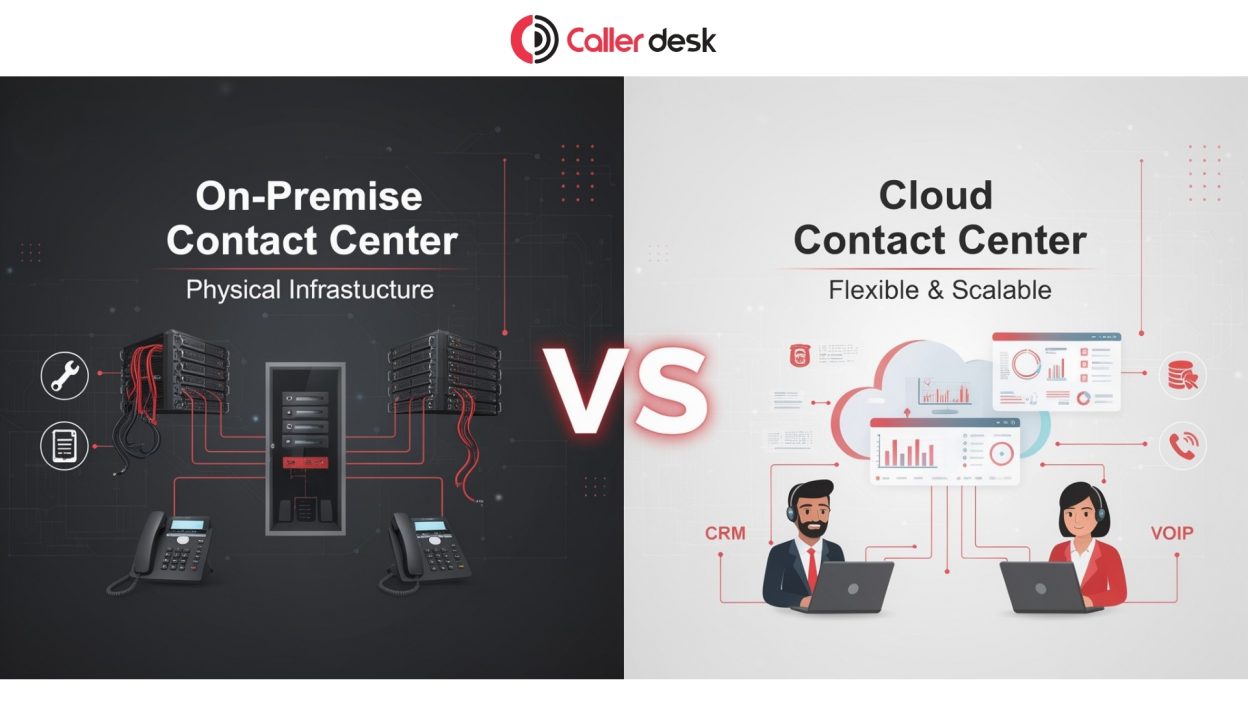
An On-premise contact center is a calling system set up inside your office. All servers, hardware, and software are kept in your company’s location. Your business owns the system and manages everything. Customer calls and data are handled through your internal network. This is a popular choice for businesses that need more control and security. It’s also highly customizable. However, they are generally expensive and require maintenance. It may require IT specialists for maintenance. It’s suitable for companies seeking complete control.
What is a Cloud Contact Center?
A cloud contact center is a customer support system that works through the internet. It does not need heavy hardware or servers inside your office. The system is hosted online by a service provider. Agents can receive and send calls from any laptop or phone. You can also chat and email with it. It’s also widely used due to its rapid installation and cost. Maintenance and upgrades are provided. It’s a great option for companies that want flexibility, scalability, and better support without the installation headaches.
On-Premise vs Cloud Contact Center – Key Differences
| Feature | On-Premise Contact Center | Cloud Contact Center |
| Infrastructure Ownership | Hardware and servers are owned by the company. | Infrastructure is managed by the service provider. |
| Cost Structure | High upfront setup cost with ongoing maintenance expenses. | Monthly or yearly subscription with a lower starting cost. |
| Deployment Speed | Setup may take weeks or months. | It can be started quickly, often in days. |
| Maintenance & Upgrades | Managed by an internal IT team. | Updates and maintenance are handled by the provider. |
| Remote Work Support | Limited and may need extra setup. | Easy access from anywhere with the internet. |
| Scalability | Adding users needs more hardware and time. | Users can be added quickly as needed. |
| Security & Compliance | Full internal control over data and systems. | Strong security tools with provider-managed compliance features. |
Cost Comparison: On-Premise vs Cloud Contact Center
On-Premise Costs
- The company must invest in expensive telephones, servers, and network equipment.
- Periodic maintenance is required for smooth operation.
- IT specialists are needed for maintenance.
- Software updates and license renewals add extra costs.
- System failures can affect customer service and business revenue.
Cloud Based Contact Center Costs
- A fixed monthly or yearly fee is usually paid.
- Charges may depend on users, calls, or features used.
- No heavy hardware investment is needed at the start.
- Updates and technical support are handled by the provider.
Pros and Cons of On-Premise Contact Centers
Pros of On-Premise Contact Centers
- Your business gets full control over the complete system and settings.
- Customer data stays inside your company network for better control.
- Security rules can be managed as per business requirements.
- The system can be customized according to specific business needs.
- It works well with existing office software and old systems.
- It is a suitable option for large companies with in-house IT teams.
Cons of On-Premise Systems
- The initial setup cost is high due to hardware and software purchases.
- The system requires regular maintenance.
- IT professionals are needed for ongoing support.
- Software upgrades can take extra time and money.
- Remote working support may need additional setup and tools.
- Expanding the system can be slow and costly.
Pros and Cons of Cloud Based Contact Centers
Pros of Cloud Based Contact Centers
- The starting cost is lower because heavy hardware is not needed.
- The system is easy to install.
- Staff can work remotely.
- New users can be added anytime as the business grows.
- Maintenance and updates are managed by the service provider.
- Advanced reports, analytics, and smart features are available.
Cons of Cloud Based Contact Centers
- It works with a reliable internet connection.
- Monthly or yearly subscription charges continue regularly.
- Direct control over servers and infrastructure is limited.
- Some advanced custom changes may not be possible.
- Service issues from the provider can affect operations.
- Data security depends on the provider’s systems and policies.
Cloud Contact Center Services Explained
Cloud contact center services include many useful tools that help businesses manage customer calls and support easily. These include interactive voice response (IVR) menus to direct callers, call routing to route calls to the appropriate team, and auto dialers for outbound calls. They also support reporting dashboards to monitor agent performance and integrate with CRM systems to display customer data on the screen.
These services improve customer support in many ways. Calls are handled faster and sent to the right agent quickly. Waiting time becomes shorter, and customer experience improves. Agents get customer information on screen, so they can solve issues faster. Managers can view reports and improve their business. In general, operations are faster, more efficient, and more professional.
Key Features and Advantages of a Cloud Contact Center
Cloud contact centers offer modern businesses the flexibility, efficiency, and advanced capabilities needed to deliver seamless customer experiences. Below are some of the core features and advantages they provide:
Features:
Elastic scalability:
Adjust resources quickly to match changing business demands, whether during peak seasons or low-traffic periods, without infrastructure limitations.
Reduced infrastructure costs:
Since there is no need for expensive on-site hardware or server maintenance, businesses can significantly lower initial investment costs.
Rapid implementation:
Cloud-based platforms can be deployed much faster than traditional contact center systems, helping businesses go live in less time.
Anywhere accessibility:
Agents and managers can securely access the platform from any location, making remote and hybrid work environments easy to manage.
Automatic system upgrades:
Service providers regularly roll out updates, security patches, and new functionalities without disrupting operations.
Benefits:
Unified omnichannel communication:
Manage customer interactions across voice calls, live chat, email, SMS, and social media through a single integrated platform.
Smart AI-powered capabilities:
Leverage intelligent call routing, virtual assistants, customer sentiment tracking, and analytics for improved service delivery.
Seamless software integrations:
Connect effortlessly with CRMs, ticketing tools, workforce management software, and third-party applications using APIs.
Flexible cost model:
Pay only for the services and capacity you use, allowing businesses to optimize operational spending.
Enhanced reliability and business continuity:
Cloud infrastructure ensures high uptime, built-in redundancy, and disaster recovery mechanisms to keep customer support running smoothly.
Cloud Based Contact Center vs On-Premise – Which is Better for Different Businesses?
Startups
For startups, a cloud based contact center is the best option. It is used because the cost is low and the setup is fast. For example, a new food delivery startup can start customer support instantly without buying servers or hardware. This helps them focus on growth instead of technical setup.
SMEs
For SMEs, a cloud contact center service is usually preferred. It supports scaling as the business grows. For example, a small e-commerce brand can easily add new agents during sales season without upgrading infrastructure. On-premise is rarely chosen here due to high cost.
Large Enterprises
Large companies use On-premise and hybrid models. On-premise is used for customisation and control. For example, a telecommunications company may run on-premise for administration and in the cloud for support.
Regulated Industries (Banking, Govt)
On-premise is also preferred in regulated industries. It is used because strict data security and compliance are required. For example, a government may store citizen data on-premise for security reasons.
Migration: Moving from On-Premise to Cloud Contact Center
An On-premise system is evolving to a cloud contact center for many companies. The main reason is flexibility. The cloud saves money, makes remote working possible, and provides flexibility. Businesses also get more sophisticated features like analytics and automation without high cost.
But it’s not always easy. Data migration can be challenging, especially with older systems. Integration with other systems, such as CRM, can be difficult. Employees might need to be trained in the dashboards and processes.
To help with this, many companies choose a hybrid approach. This means some processes remain on-premise while others are in the cloud. This reduces risk and eases the transition.
Hybrid Contact Center Model (Emerging Trend)
Many companies are now choosing hybrid contact center solutions. It combines both On-premise and cloud contact center systems. This allows businesses to run customer-facing applications such as calls, chat, and IVR in the cloud, while storing critical data and back-end systems on-premise.
This provides flexibility and control. For instance, call center agents can be located anywhere and use cloud-based tools, while sensitive financial data remains on-site. It’s sometimes described as a “best of both worlds” approach. Businesses get modern features without losing control over important data and security.
Future of Contact Centers in India
Contact centers in India are changing rapidly. Chatbots will answer simple questions and provide instant responses. Many companies are also moving to a cloud-first approach for greater efficiency.
Multichannel communications are also increasing, allowing customers to reach the business via phone, WhatsApp, email, or chat. Automation is reducing manual call handling and making processes faster.
Meanwhile, Software-as-a-Service (SaaS) contact center solutions are also rapidly expanding. These are user-friendly, affordable, and support growth without large investments.
How to Choose the Right Solution for Your Business
- The solution must fit your budget easily.
- It should support team growth anytime.
- It must handle customer volume smoothly.
- Strong security should always be ensured.
- Remote work access should be available.
- It should match your future growth plans.
FAQs
1. What is the main difference between On-premise and cloud contact center?
On-premise is hosted and managed by your office. A cloud contact center is managed by a provider and accessible via the internet.
2. Is a cloud Based contact center better for small businesses?
Yes, a cloud Based contact center is ideal for small businesses due to low upfront costs, rapid deployment, scalability, and no need for costly hardware.
3. Can On-premise systems support remote work?
Yes, but it is difficult. On-premise systems require additional setup and equipment, while cloud systems inherently support remote working from anywhere.
4. Are cloud contact center services secure?
Yes, new cloud contact center services use encryption, security standards, and compliance to secure data, but it depends on how the provider sets it up.
5. Which is more cost-effective, On-premise or cloud?
Cloud contact centers are cheaper because they require minimal upfront investment and operate with subscription-based pricing, compared to On-premise, which has high setup and maintenance costs.
Conclusion
Deciding between On-premise and cloud depends on your business use case. Each has advantages and disadvantages. On-premise allows greater control and security, but a cloud Based contact center is more scalable, affordable, and quicker to implement. Nowadays, companies favour the cloud as it’s flexible, supports remote work, and can scale. But some companies still use On-premise for security reasons. Selecting the right option should consider cost, scalability, and customer preferences. The right decision will always enhance customer satisfaction and productivity.