

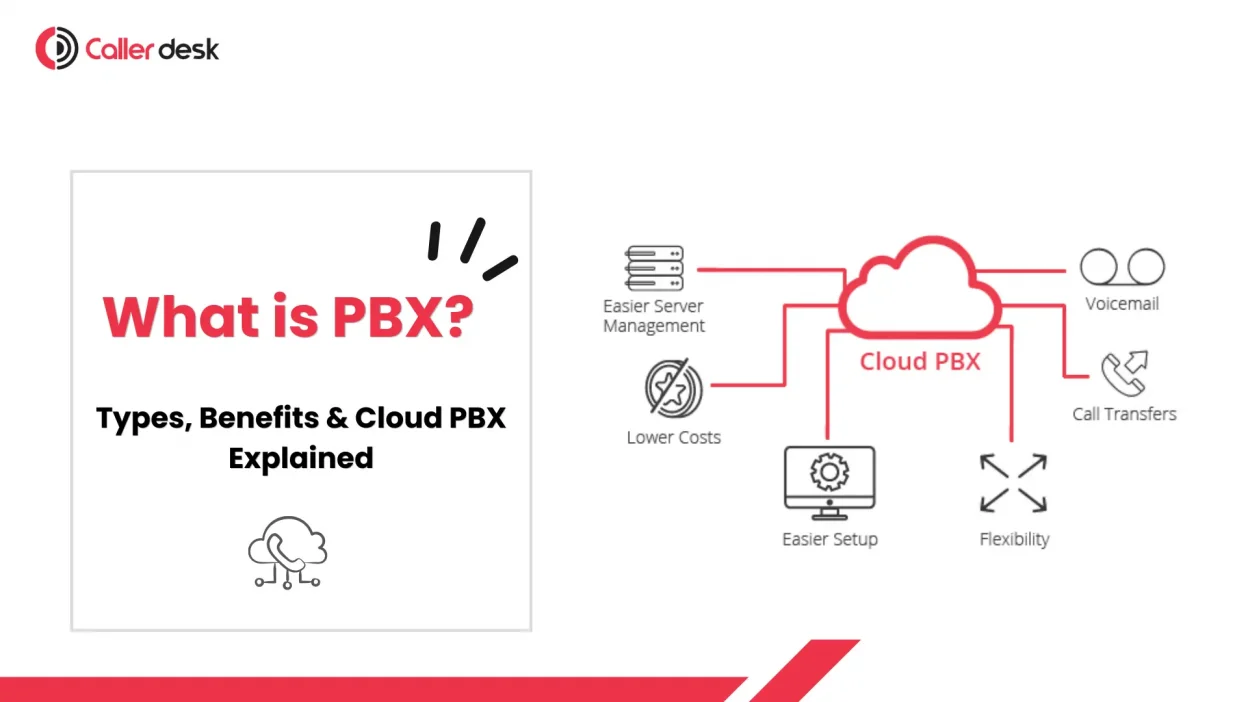
A PBX system is a private business calling network that helps companies manage internal and external calls efficiently. It remains valuable because every growing business needs structured communication. Many assume this technology is outdated, but modern solutions are cloud-enabled, scalable, and mobile-friendly. Calls can be routed, recorded, transferred, and monitored with ease. In 2026, response speed matters more than ever. Businesses still trust a PBX system because customers expect professionalism, reliability, and faster service.
- 1 How a PBX phone system works
- 2 Types of PBX systems
- 3 PBX system vs VoIP: what’s the difference
- 4 PBX benefits: the real reasons businesses still buy them
- 5 PBX system price: what it really costs
- 6 PBX system for small business: how to choose the right setup
- 7 Cloud PBX explained: what you get
- 8 Quick examples: choosing a PBX by business type
- 9 FAQs
- 10 Conclusion
How a PBX phone system works
A PBX phone environment receives incoming calls through one business number and routes them intelligently. Calls may first reach an IVR menu where options are selected. After selection, calls are sent to the correct extension, department, or available agent. Internal transfers can happen without disconnecting customers. Voicemail, recording, and call queues may also run automatically. Outbound calls are managed through the same platform. This process helps businesses answer faster, reduce confusion, and create a better customer experience.
Types of PBX systems
1) Traditional/Analog PBX
- Traditional systems use copper telephone lines and physical switching hardware installed onsite.
- They were widely adopted before internet calling became common.
- Basic extensions, transfers, and voicemail features are usually supported.
- Expansion can be expensive because extra hardware is required.
- Many companies now replace them with modern PBX solutions.
2) On-premise IP PBX
- This model uses the Internet Protocol while hardware remains onsite.
- More advanced features are available than in analog systems.
- Internal IT teams usually manage maintenance and updates.
- Upfront investment is higher due to servers and devices.
- It suits companies wanting control over their phone environment.
3) Hosted/Cloud PBX
- Hosted systems are managed remotely by a provider.
- Hardware needs are reduced significantly.
- Users can answer calls through mobiles or desktops.
- Scaling users up or down becomes simple.
- Callerdesk offers cloud telephony aligned with this model.
4) Hybrid PBX
- Hybrid setups combine on-site hardware with cloud features.
- Existing investments can be preserved during migration.
- Some teams use desk phones, others use apps.
- Backup routing can improve continuity greatly.
- It is useful where gradual modernization is preferred.
PBX system vs VoIP: what’s the difference
| Comparison Point | PBX System | VoIP |
| Definition | A PBX system is a business phone platform used to manage calls. | VoIP is a technology that transmits voice calls over the internet. |
| Main Purpose | Handles routing, extensions, transfers, and features. | Carries voice data digitally through networks. |
| Role in Communication | Controls how calls move inside the organization. | Controls how voice is delivered during a call. |
| Relationship | A modern PBX system often uses VoIP. | VoIP can be the calling method inside PBX setups. |
| Competition Status | It is not a direct competitor to VoIP. | It is not a replacement for PBX features. |
| Best Use Case | Best for structured business communication management. | Best for cost-effective internet calling. |
| Key Difference | Manages call logic and workflows. | Transports audio data between users. |
| Buying Advice | Choose based on features, scale, and control needs. | Choose based on network quality and calling needs. |
PBX benefits: the real reasons businesses still buy them
1) Professional call handling
- Greetings create a polished first impression instantly.
- IVR menus guide callers to the correct departments quickly.
- Business hour rules manage after-hours calls smartly.
- Holding music improves the waiting experience noticeably.
- These are core PBX benefits valued widely.
2) Fewer missed calls
- Calls can wait in queues professionally.
- Ring groups notify multiple users together.
- Hunt lists find the next available agent.
- Lead loss from missed calls is reduced.
- Response rates improve during busy periods.
3) Easier internal communication
- Short extensions make daily internal communication faster and more efficient.
- Transfers happen without asking customers again.
- Teams collaborate faster during live calls.
- Reception handling becomes more organized.
- Productivity rises through smoother communication flows.
4) Mobility for modern teams
- Calls can be answered anywhere securely.
- Mobile apps support remote employees well.
- Softphones reduce desk hardware dependence.
- Traveling staff remain reachable consistently.
- Flexibility becomes a competitive advantage today.
5) Visibility and control
- Call recordings support quality training programs.
- Analytics reveal missed opportunities quickly.
- Monitoring helps managers coach teams better.
- Reports improve staffing decisions daily.
- Service standards become easier to maintain.
6) Cost efficiency
- Hardware spending is often minimized greatly.
- Maintenance costs become more predictable monthly.
- Remote setup saves installation effort.
- Growth does not demand huge upgrades.
- Long-term savings remain a major PBX benefits factor.
PBX system price: what it really costs
On-prem PBX pricing vs Cloud PBX pricing
| Comparison Point | On-prem PBX Pricing | Cloud PBX Pricing |
| Initial Cost | Higher upfront investment is usually required. | Lower upfront spending is usually needed. |
| Hardware Expense | Servers, desk phones, switches, and cabling are purchased. | Minimal hardware is required in most cases. |
| Installation Cost | Professional installation charges may apply. | Setup is faster and often lower in cost. |
| Maintenance Cost | Ongoing maintenance contracts are commonly needed. | Maintenance is usually handled by the provider. |
| IT Support | Internal IT staff may be required. | Less internal IT involvement is needed. |
| Billing Model | Mostly capital expenditure-based. | Monthly subscription-based pricing. |
| Scalability Cost | Expansion may require new hardware purchases. | Users can be added easily with plans. |
| Add-on Charges | Replacement parts and upgrades may cost extra. | Storage, analytics, recording, and integrations may cost extra. |
| Best For | Firms need control and customization. | Growing teams need flexibility and lower entry costs. |
| Budget Predictability | Variable due to repair and upgrade costs. | Predictable monthly billing is common. |
The biggest factors that change PBX system price
Several factors can affect the final PBX system price. User count is one of the biggest variables, as more extensions usually increase costs. Features such as IVR, recording, analytics, and CRM integrations may raise pricing further. Expanding into new locations may increase costs through additional number rentals and call routing charges. Support plans, uptime commitments, and response times also influence total cost. For on-site setups, hardware quality and replacement needs matter greatly. Smart buyers compare long-term value instead of only headline pricing.
PBX system for small business: how to choose the right setup
Step 1: Map your call flow
- Identify who answers the first incoming calls.
- Define sales and support routing clearly.
- Plan after-hours handling rules carefully.
- Note peak calling hours weekly.
- This helps any PBX system for a small business choose better.
Step 2: Decide what endpoints you need
- Desk devices suit front desks well.
- Apps suit remote teams better.
- Mixed setups often work best.
- Budget affects hardware choices strongly.
- Choose based on actual usage patterns.
Step 3: Check the internet and network readiness
- Reliable bandwidth helps ensure clear, uninterrupted calls.
- Good routers reduce packet loss.
- Wired links help reliability greatly.
- Backup internet is often wise.
- Testing should be completed early.
Step 4: Shortlist features that actually matter for you
- Focus on IVR if calls are high.
- Recording helps training and compliance.
- Reports support management decisions.
- Mobile apps aid flexible teams.
- Avoid paying for features you’re unlikely to use in a PBX system for a small business setup.
Cloud PBX explained: what you get
A standard cloud setup usually includes one business number, IVR menus, user extensions, call routing rules, voicemail, dashboards, and recording options. Employees may answer through mobile apps, laptops, or desk phones. Admin changes are commonly made from a web panel, making every PBX phone system easier to manage. New users can often be added within minutes. Integrations with CRM or helpdesk tools may also be included. Callerdesk provides solutions built for businesses needing scalable communication with simpler management and faster deployment.
Common cloud PBX mistakes
- Weak internet often causes poor audio quality.
- Cheap headsets create unclear conversations frequently.
- Bad IVR menus frustrate callers quickly.
- No backup routing increases missed calls.
- Reports ignored mean issues stay hidden.
Quick examples: choosing a PBX by business type
Example 1: Local service business
A local service company often needs quick call pickup and simple scheduling support. The best setup here includes IVR, missed call alerts, and mobile answering. Owners are frequently on the move, so app-based access helps greatly. Recording can support service quality and dispute resolution. Costs should remain lean while professionalism improves. Fast setup and easy management are usually top priorities.
Example 2: Sales team + support desk
Growing teams handling leads and customer queries need stronger routing tools. Queues, analytics, call monitoring, and CRM integrations become highly valuable. Managers need visibility into missed calls, conversion opportunities, and agent productivity. Separate flows for sales and support are usually recommended. Softphones help hybrid teams remain reachable daily. This setup often benefits from scalable cloud architecture.
Example 3: Compliance-heavy org or poor internet location
Some organizations need strict recording policies, local data control, or operate in environments where internet quality is unreliable. In such cases, hybrid or onsite models may be preferred. Local survivability features can keep calling active during outages. Backup lines and redundant routing should be considered seriously. These businesses should prioritize reliability, audit readiness, and continuity.
FAQs
Q1. Is a PBX system still useful for businesses today?
Yes. Modern systems support mobility, routing, analytics, remote teams, and better customer service. They remain valuable for companies that need professional communication.
Q2. Is VoIP the same as a PBX system?
No. VoIP carries voice through internet networks, while PBX manages routing, extensions, transfers, and communication features used by businesses.
Q3. Are desk phones mandatory for using a PBX system?
No. Businesses can use mobile apps, laptops, headsets, and softphones to answer calls professionally from almost anywhere with internet access.
Q4. Can small businesses use a PBX system effectively?
Yes. Cloud models offer affordable pricing, simple setup, mobility, professional call handling, and easier growth management for smaller teams.
Q5. Is it difficult to set up a PBX system?
No. Hosted solutions are usually simple. Providers configure numbers, routing, users, and dashboards quickly so operations can begin within days.
Conclusion
The right decision starts with business needs, not trends. Map your call flow, team size, mobility goals, and budget first. Then compare reliability, support quality, and feature relevance carefully. Some firms need on-site control, while others need flexible cloud deployment. A strong PBX system should improve response speed, reduce missed opportunities, and simplify management. When chosen wisely, communication becomes a growth engine.